![Learnyst Logo-25-1.png]](https://support.learnyst.com/hs-fs/hubfs/Learnyst%20Logo-25-1.png?height=40&name=Learnyst%20Logo-25-1.png)
Steps to Access the Options
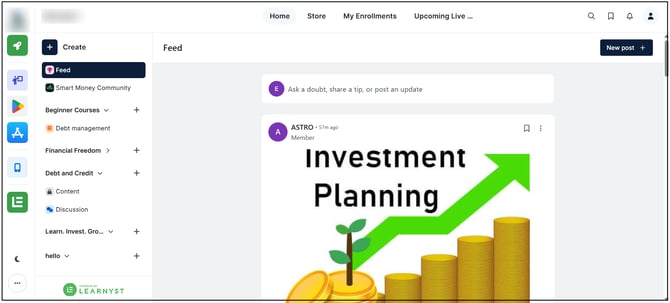
Step 1: Open the Socials Dashboard
Go to the Admin Dashboard > View As Learner > Socials Dashboard.
Step 2: Open the Profile Menu
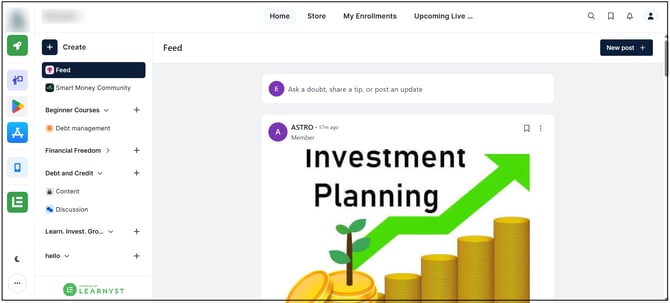
Click the Profile icon in the top-right corner of the dashboard.
Step 3: Select the Required Option
Select the required option from the menu:
- Profile to access the profile.
- Helpdesk to access support.
- Logout to sign out of Socials.
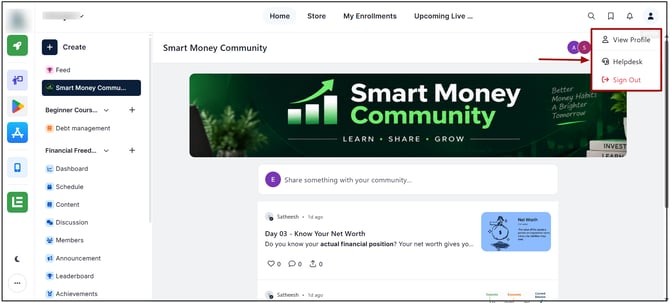
- Profile: Opens the profile section without changing Socials content.
- Helpdesk: Opens the support section for accessing available support options.
- Logout: Signs out of the current Socials session. Access to the Socials Dashboard requires signing in again.