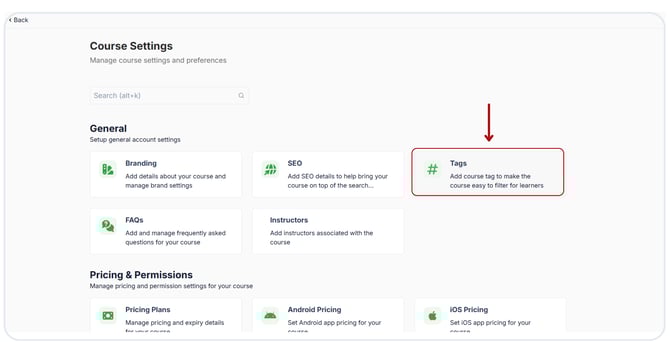
Add a tag to the Course On the Learnyst platform, you can use the Course tag option to easily filter the products. To add a tag for your course, go to the Products > Courses > select the Desired Course Then click the Settings button. Select the Tags located below the general section now. Select the "Add Tag" option. Now, click here and select a suitable tag. Click the "Save" button.
![Learnyst Logo-25-1.png]](https://support.learnyst.com/hs-fs/hubfs/Learnyst%20Logo-25-1.png?height=40&name=Learnyst%20Logo-25-1.png)
.png?width=670&height=343&name=Add%20Tag%20details%20to%20the%20courses%20(3).png)
.png?width=670&height=343&name=Add%20Tag%20details%20to%20the%20courses%20(1).png)
.png?width=670&height=343&name=Add%20Tag%20details%20to%20the%20courses%20(2).png)