![Learnyst Logo-25-1.png]](https://support.learnyst.com/hs-fs/hubfs/Learnyst%20Logo-25-1.png?height=40&name=Learnyst%20Logo-25-1.png)
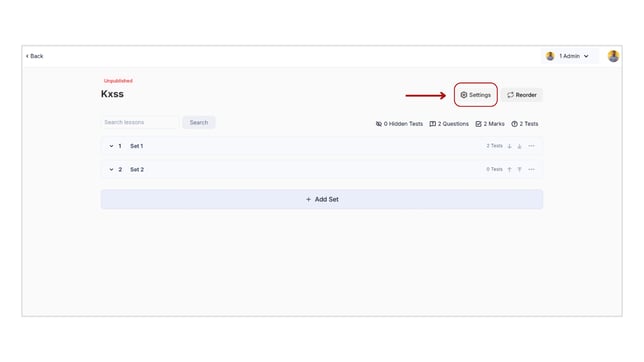
- To add useful terms to your course, go to Products > Test Series > Select the Desired Test Series.
- Click the "Settings" button.
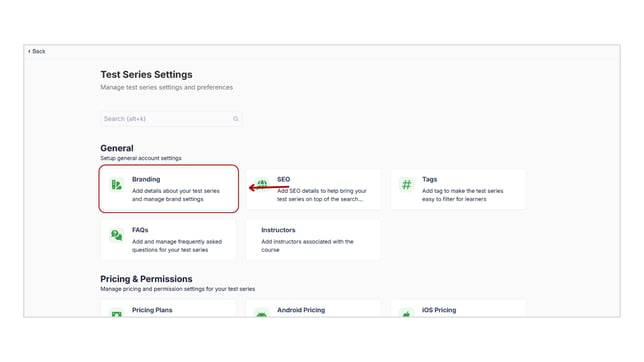
- Click on "Branding.”
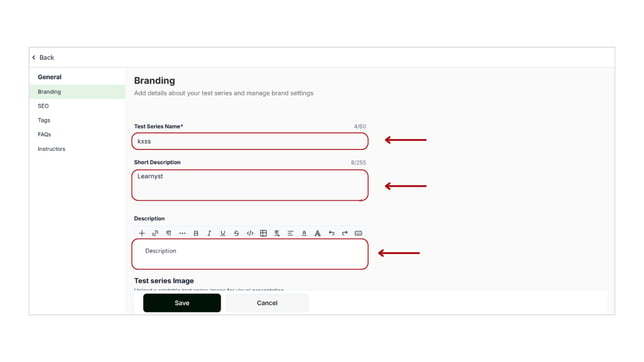
- Enter the important details and promotional video for your Test Series.
- Test Series name: Provide an attractive and suitable name for your Test Series.
- Short description: This will appear under your Test Series's name.
- Description: Enter impactful information about your Test Series to grab learner's attention to subscribe to your Test Series .
- Test Series Image: Click the "Upload" button and upload the image from your system to make your test series attractive.
- Test Series Video Embed: Click the "Upload" button and embed the promotional video by entering the URL.
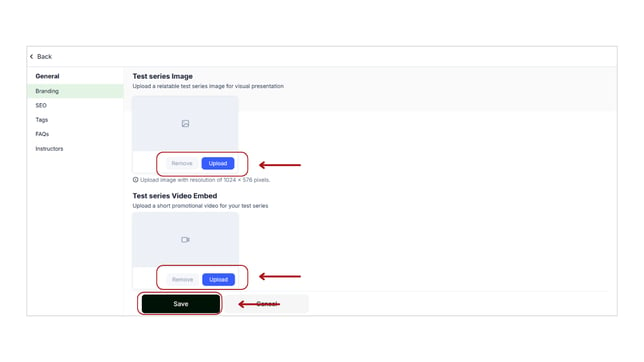
- Finally, don’t forget to hit the "Save" button.
- In the same way, you can add brand details for all of your products, including courses, Bundles, and mock tests.