![Learnyst Logo-25-1.png]](https://support.learnyst.com/hs-fs/hubfs/Learnyst%20Logo-25-1.png?height=40&name=Learnyst%20Logo-25-1.png)
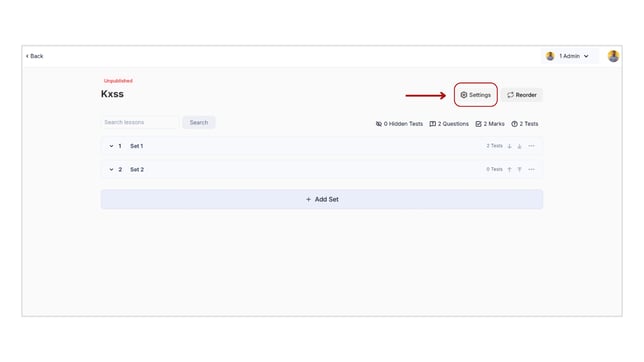
- To add the FAQ for your course, go to the Products > Test Series > select the Desired test series.
- Then click the "Settings" option.
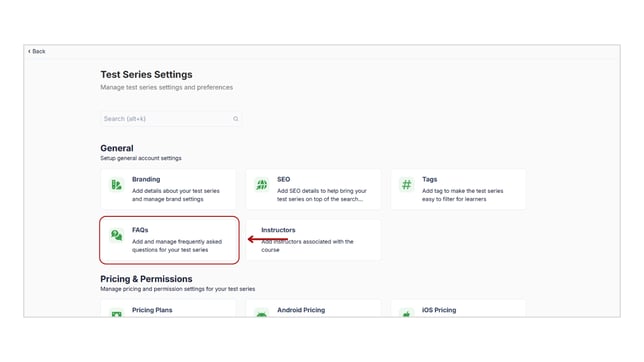
- Next, select the FAQ option located under the General settings.
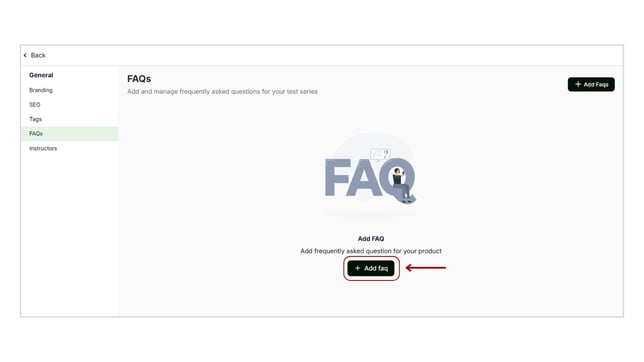
- Select the "ADD FAQ" button now.
- Here, add the commonly asked questions and their clear responses to help your learners in making decisions.
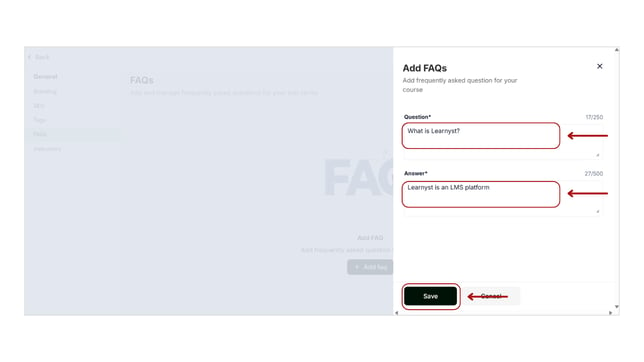
- After entering the question and answer, simply click the Save button.
- In the same way, you can add FAQs for all of your products, including courses, bundles, and mock tests.