![Learnyst Logo-25-1.png]](https://support.learnyst.com/hs-fs/hubfs/Learnyst%20Logo-25-1.png?height=40&name=Learnyst%20Logo-25-1.png)
-
To add instructors, navigate to Users → Instructors
-
Click on the Add Instructor button
.png?width=670&height=318&name=Add%20instructor%20(1).png)
-
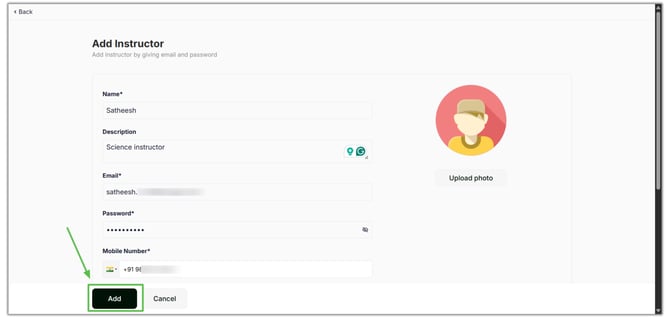
Enter the instructor details:
- Name
- Description
- Email ID
- Phone Number
- Photo
- Social Media Accounts
- Once you have filled in all the required details, click the Add button
-
The instructor will now be added to your school and can be assigned to courses.