- Once you create a Bundle, you can add lessons to it.
- To add lessons to your course, go to Products > Bundles and pick the desired course.
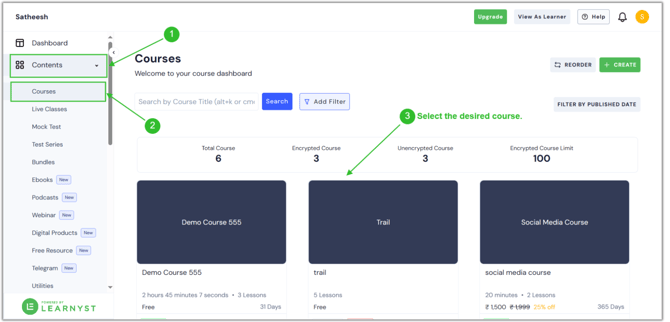
- Select the desired section and click the Add Lesson button.
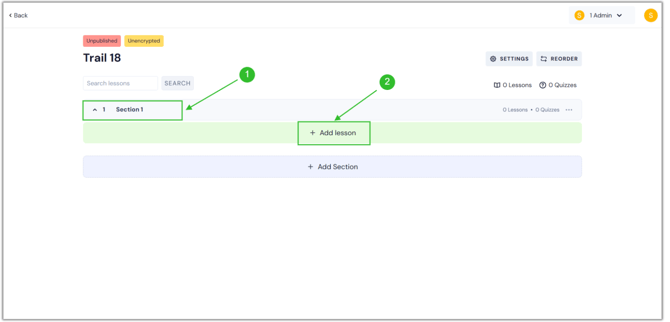
- Once you click it, numerous lesson types like Video, Audio, PDF, Slides, Live, Articles, SCORM, Quiz, and Assignment will be visible.
- Now, enter the lesson title, select any lesson type, and click the Continue button.
.png?width=670&height=322&name=lesson%20(1).png)
- You can upload a video file from your computer or a Cloud storage provider, such as Dropbox or Drive.
.png?width=670&height=322&name=lesson%20(3).png)
- You can attach files to the lesson to engage your learners.
.png?width=670&height=322&name=lesson%20(2).png)
- Once you've attached the files, simply click the Preview option to examine your lessons.
.png?width=670&height=322&name=lesson%20(4).png)
- Finally, your lessons and attachments are available to your students.
English
![Learnyst Logo-25-1.png]](https://support.learnyst.com/hs-fs/hubfs/Learnyst%20Logo-25-1.png?height=40&name=Learnyst%20Logo-25-1.png)