![Learnyst Logo-25-1.png]](https://support.learnyst.com/hs-fs/hubfs/Learnyst%20Logo-25-1.png?height=40&name=Learnyst%20Logo-25-1.png)
-
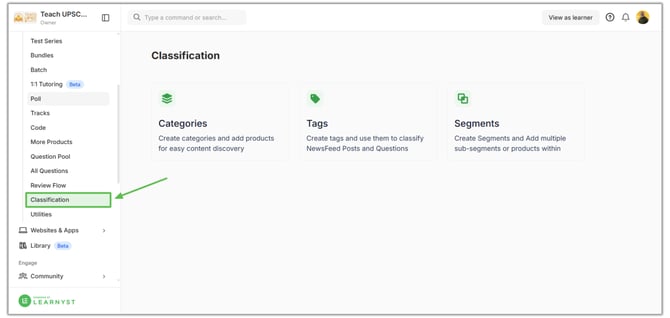
Navigate to Products → Classifications → Categories > Select the category to which you want to add products
-
Click on the Manage Products option
.png?width=670&height=318&name=Learnyst%20Categories%20(5).png)
-
Click the Add Products button
.png?width=670&height=318&name=Learnyst%20Categories%20(6).png)
-
Select the products you want to include in the category
-
Click the Add Products button to confirm
.png?width=670&height=318&name=Learnyst%20Categories%20(7).png)
-
The selected products will now be added to the category.
- If you want to remove any products from the category, click the remove icon and remove it
.png?width=670&height=318&name=Learnyst%20Categories%20(8).png)