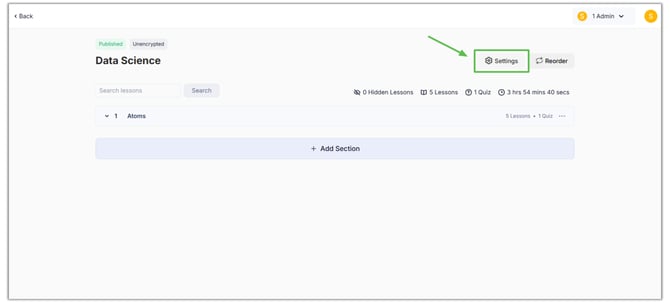
- To add SEO details to your course, go to Products > Courses > Select the Desired Course.
- Then click the "Settings" button.
- On this settings page, click on "SEO.”
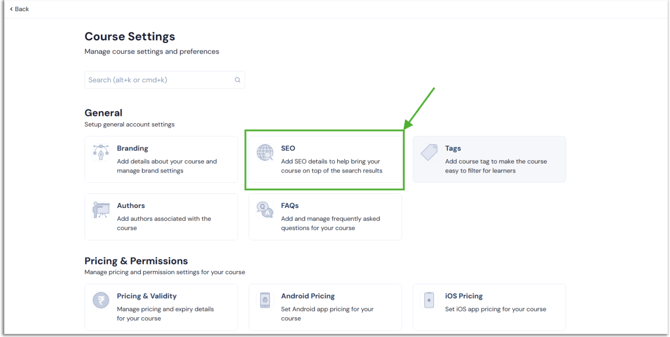
- Enter the SEO details to help bring your course to the top of the search results.
1. Friendly URL: One of the basic search engine optimisation techniques is using a user-friendly URL. If learners search for a course similar to yours, the URL name reflects your course and promotes it.
2. Course Page Title: When users search for a similar course, this title will appear in search engine results.
3. SEO Description: An SEO description with proper and related keywords for your course helps in better search engine ranking..png?width=670&height=338&name=SEO%20(1).png)
- Once you make the change, click the "Save" button.
- In the same way, you can add SEO details for all of your products, including bundles, test series, and mock tests.
English
![Learnyst Logo-25-1.png]](https://support.learnyst.com/hs-fs/hubfs/Learnyst%20Logo-25-1.png?height=40&name=Learnyst%20Logo-25-1.png)