![Learnyst Logo-25-1.png]](https://support.learnyst.com/hs-fs/hubfs/Learnyst%20Logo-25-1.png?height=40&name=Learnyst%20Logo-25-1.png)
- To add test attachments, go to Products > Mock test > Selected Mock test
- Click the More option.
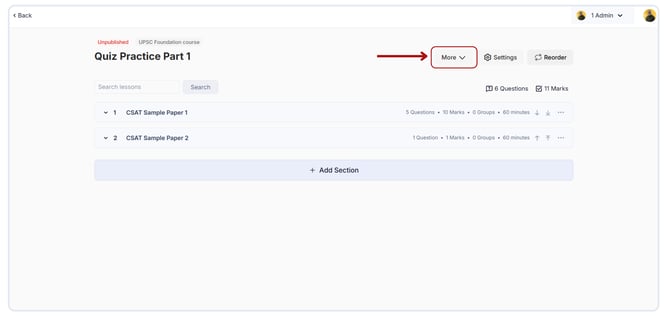
- Select the Test Attachments option from the dropdown list.
.png?width=670&height=320&name=Add%20test%20attachments%20for%20your%20quiz%20(1).png)
- Upload exam attachments and their supplements.
.png?width=670&height=320&name=Add%20test%20attachments%20for%20your%20quiz%20(3).png)
- When your students finish their test, they can get these materials from the test results page.
.png?width=670&height=320&name=Add%20test%20attachments%20for%20your%20quiz%20(2).png)