![Learnyst Logo-25-1.png]](https://support.learnyst.com/hs-fs/hubfs/Learnyst%20Logo-25-1.png?height=40&name=Learnyst%20Logo-25-1.png)
- To add a test to the test series, go to Products > Test Series and select the desired test series.
- Now, select the set and click the Add Test option.
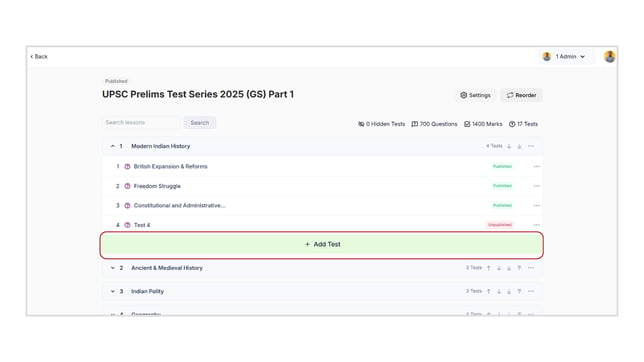
- Clicking it will lead you to the Select Section Quiz Template page. Click here to choose a suitable test template.
- Click the Save button.
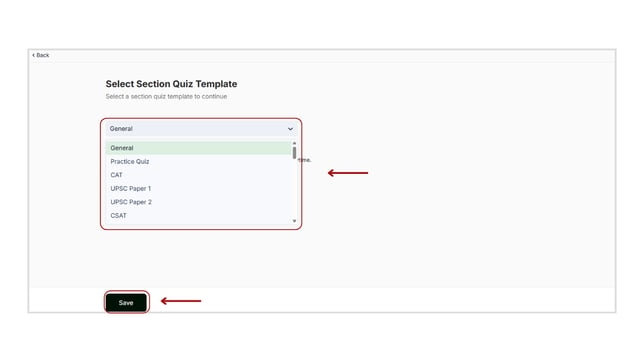
- After you've selected the appropriate template, you can add the questions to the test series.