![Learnyst Logo-25-1.png]](https://support.learnyst.com/hs-fs/hubfs/Learnyst%20Logo-25-1.png?height=40&name=Learnyst%20Logo-25-1.png)
When learners enroll in your courses, this billing address is integrated with your payment gateway and reflected in the generated invoice upon purchase.
Here's how to set up a billing address:
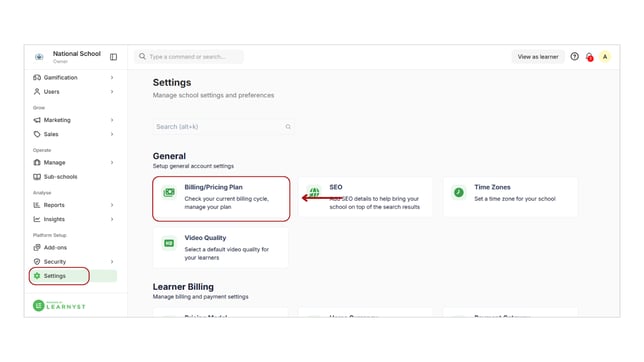
- Navigate to School Settings and Access the Billing section under the General label.
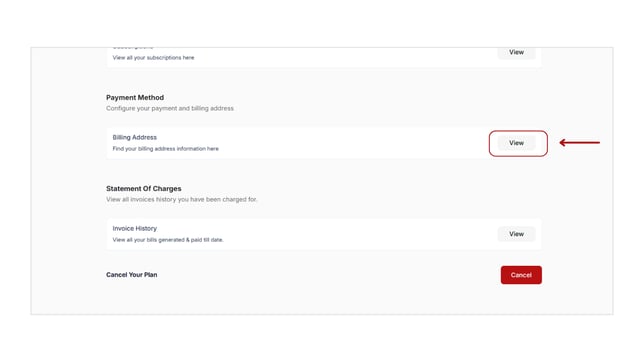
- Locate the Billing Address and click View.
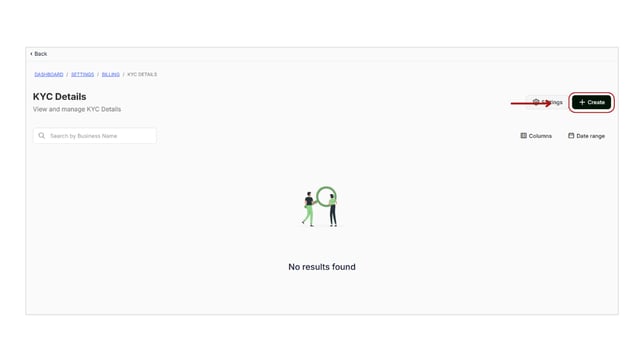
- To add a new billing address, click Create.
- Fill in necessary details such as name, email, and company name.
- Click Create to finalize adding the billing address.
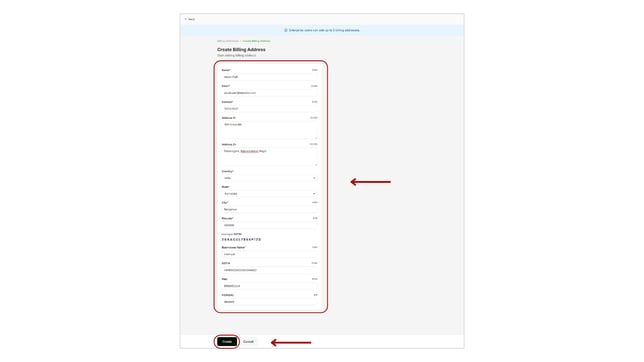
Only enterprise plan can have five billing addresses.