- To enable your learners to submit reviews, go to Products > Bundle > Select the Desired Bundle.
- Then click the Settings button.
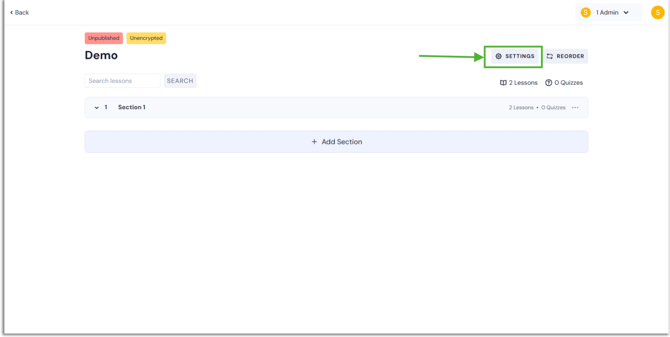
- Once on the settings page, you may find the Ratings and Reviews choices beneath the features by scrolling down. Just select this option.
.png?width=670&height=338&name=rating%20(1).png)
- To let learners leave comments about your bundle, simply click here and activate bundle reviews.
.png?width=670&height=338&name=rating%20(2).png)
- Next, press the "Save" button. Learners can rate your bundle, and favourable feedback will attract new learners.
- In the same way, you can enable this feature for all of your products, including courses, test series, and mock tests.
English
![Learnyst Logo-25-1.png]](https://support.learnyst.com/hs-fs/hubfs/Learnyst%20Logo-25-1.png?height=40&name=Learnyst%20Logo-25-1.png)