![Learnyst Logo-25-1.png]](https://support.learnyst.com/hs-fs/hubfs/Learnyst%20Logo-25-1.png?height=40&name=Learnyst%20Logo-25-1.png)
In this Article:
Create a PayPal Account:
- Visit paypal.com and click on Sign Up located in the top-right corner.
- Fill in the required details on the subsequent page and create an account.
Note that if you plan to use PayPal for business payments, you'll need to upgrade to a business account. In the meantime, you can use it in testing mode, PayPal sandbox for development purposes.
Generating the Secret Keys:
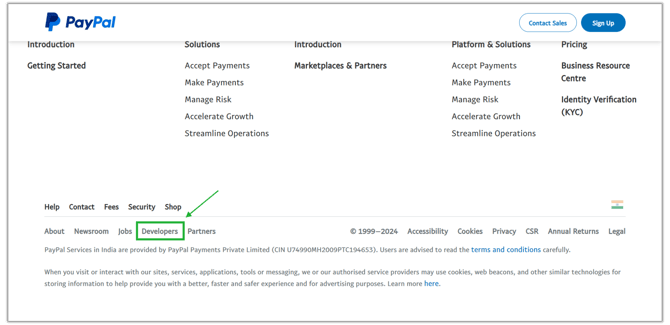
- After reaching paypal.com, scroll down to the footer and click on Developers. Alternatively, you can visit the developers page by clicking on the provided link.
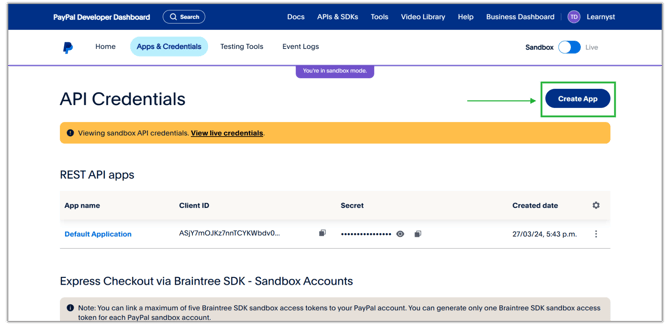
- Click Apps and Credentials option on the navigation bar. Next, proceed by clicking on the Create App button on the top right to set up your payment gateway.
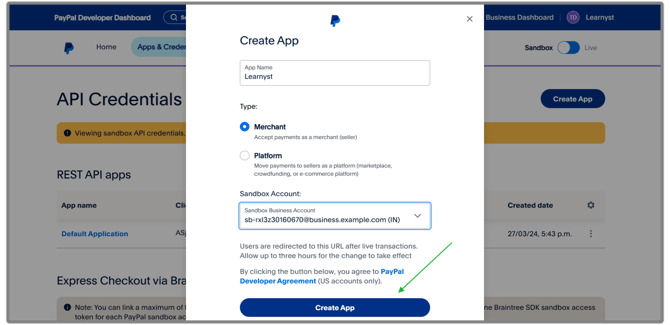
- Enter the required details. Once completed, you'll be provided with the Client ID and the Secret key.
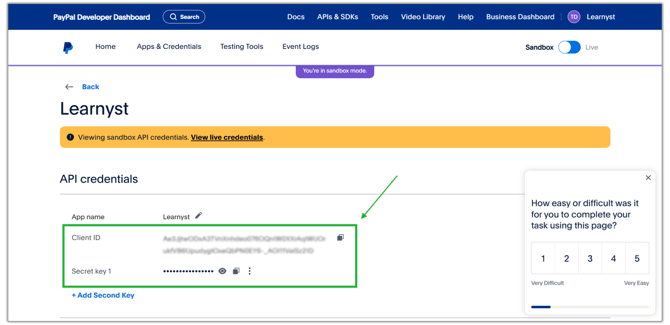
- Make sure to securely record the Client ID and Secret Key. These will be utilized in the setup process when configuring the payment gateway within Learnyst.
Configure PayPal Payment Gateway on Learnyst:
- Navigate to the payment gateway settings within your Learnyst account.
- Click on Add Payment Gateway and select PayPal.
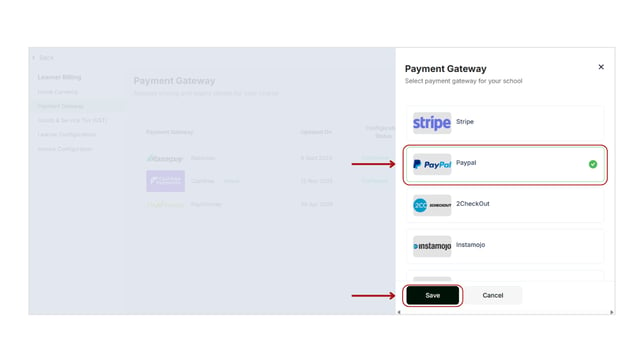
- Enter the email associated with your PayPal app.
- Input the Client ID and Secret Key obtained from PayPal's API credentials.
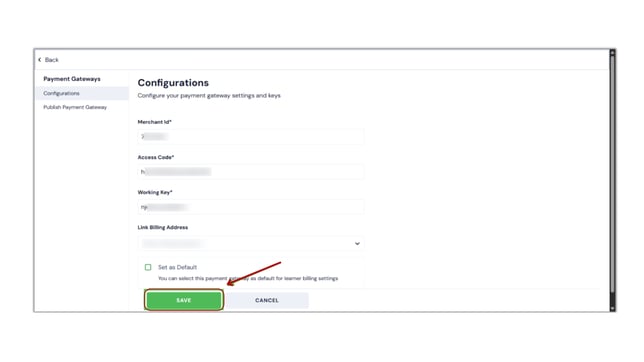
-
Set Up Webhook
Webhooks in PayPal provide instant notifications about key events, such as successful payments, directly to your preferred platform. This helps streamline payment management.
- Go back to your PayPal Developer Dashboard.
- Make sure you are working in the correct environment:
- Live for actual customer payments
- Sandbox for testing
- Go to Apps & Credentials.
- Select the relevant Live app.
- Open the app details.
- Go to the Webhooks section.
- Click Add Webhook.
- Enter the following webhook URL:
https://api.learnyst.com/learner/v7/webhook/paypal_webhook- Select the following event:
PAYMENT.CAPTURE.COMPLETED- Click Save to create the webhook.
- Go back to your Learnyst Admin dashboard and select publish and click on Save to Publish the Payment Gateway.
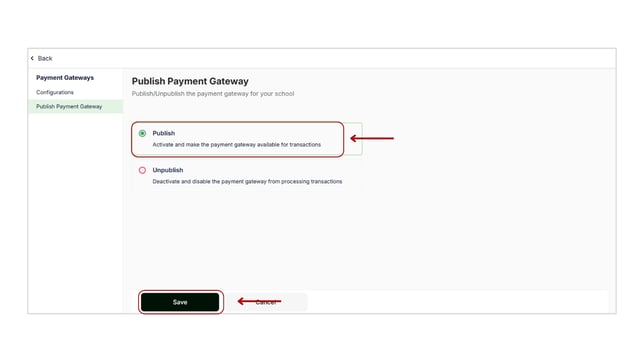
- Optionally, set it as the default payment gateway if desired.