![Learnyst Logo-25-1.png]](https://support.learnyst.com/hs-fs/hubfs/Learnyst%20Logo-25-1.png?height=40&name=Learnyst%20Logo-25-1.png)
Steps to Copy a Space Link
Step 1: Open the Socials Dashboard
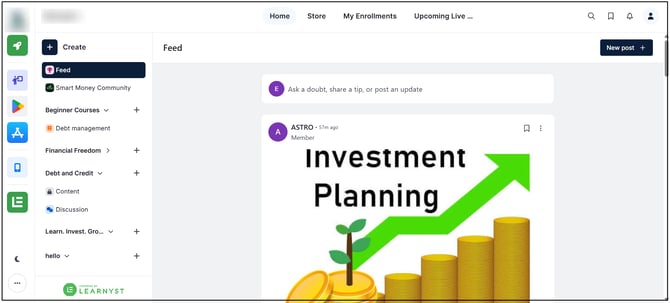
Go to the Admin Dashboard > View As Learner > Socials Dashboard and locate the Space for which the link needs to be copied.
Step 2: Open Space Options
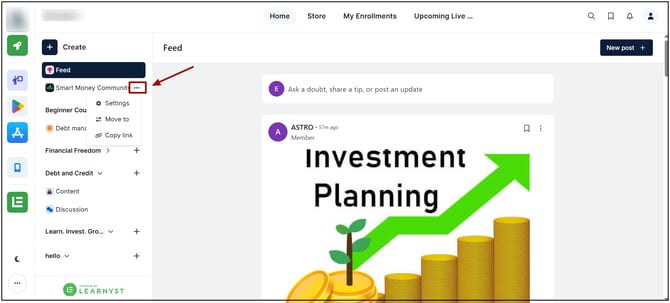
Click the three-dot menu on the Space.
Step 3: Select Copy Link
Click Copy Link from the available options.
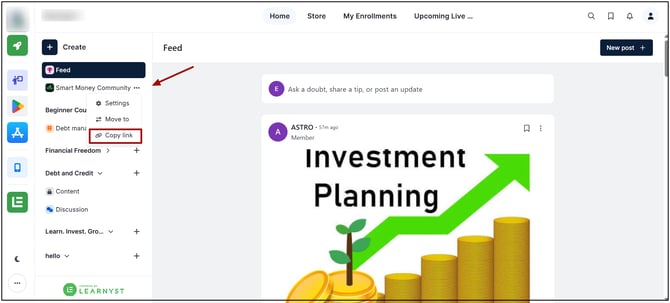
The Space link will be copied and can be shared with the intended users.
The direct link to the Space is copied to the clipboard and can be shared with others. Copying the link does not change the Space, its settings, or its visibility.