![Learnyst Logo-25-1.png]](https://support.learnyst.com/hs-fs/hubfs/Learnyst%20Logo-25-1.png?height=40&name=Learnyst%20Logo-25-1.png)
- To unpublish a one-on-one tutoring Go to the Products and choose the 1:1 tutoring option.
- Then Choose the desired 1:1 tutoring.
.png?width=670&height=318&name=11%20tutorings%20%20(4).png)
- Go to Settings
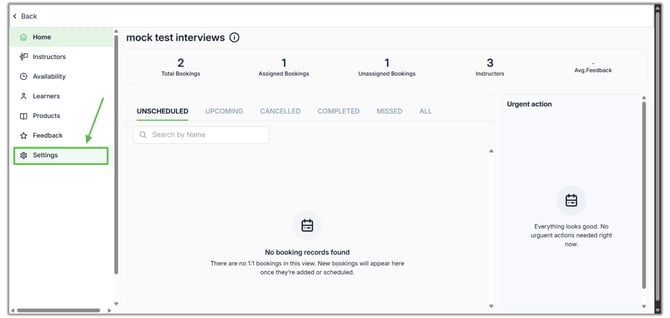
- Click the Publish 1:1 option
.png?width=670&height=318&name=11%20tutoring%20demo%20article%20(10).png)
- Now choose the Unpublished and And click the Unpublish button.
.png?width=670&height=318&name=11%20tutorings%20%20(2).png)
- Once you press it, a confirmation pop-up appears on the screen. Enter the course name correctly, then click the Unpublish button.
.png?width=670&height=318&name=11%20tutorings%20%20(3).png)