![Learnyst Logo-25-1.png]](https://support.learnyst.com/hs-fs/hubfs/Learnyst%20Logo-25-1.png?height=40&name=Learnyst%20Logo-25-1.png)
-
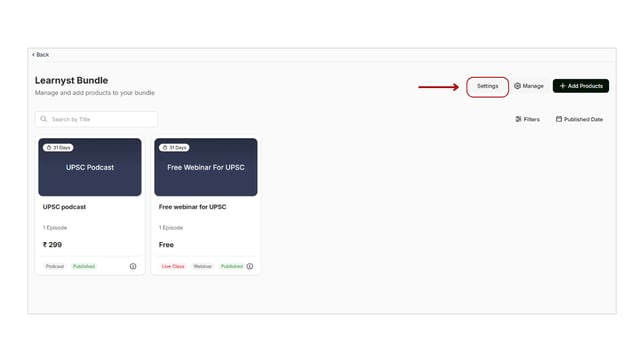
To designate an author for your bundle. go to the Products > Bundles > select the Desired Bundle.
- Then click the Settings button.
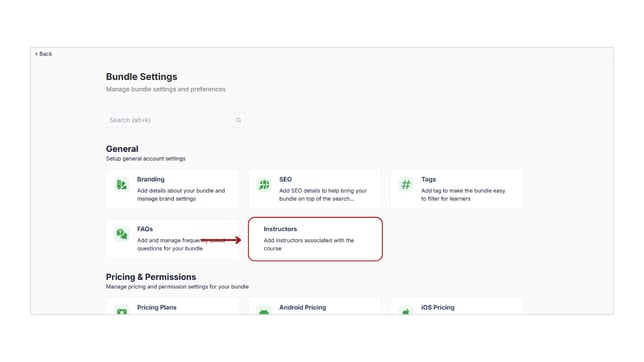
- Choose the "Authors/ instructors" option.
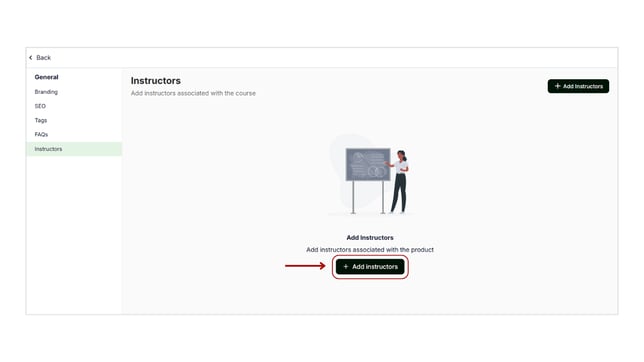
- To add an author to your bundle, click the Add Instructors button now.
- The list of authors you entered into your platform is visible here.
- Next, select the author you wish to designate, then press the "Save" button.
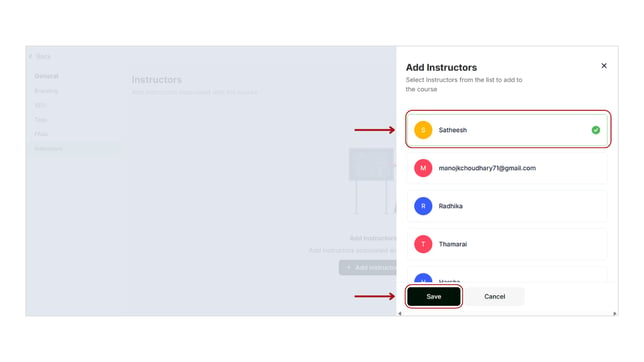
- Congratulations! The author/instructor has been successfully added to your bundle.
- In the same way, you can add authors for all of your products, including bundles, test series, and mock tests.