![Learnyst Logo-25-1.png]](https://support.learnyst.com/hs-fs/hubfs/Learnyst%20Logo-25-1.png?height=40&name=Learnyst%20Logo-25-1.png)
-
To publish a ebook, Go to Products > More products > Ebooks > Settings for your eBook.
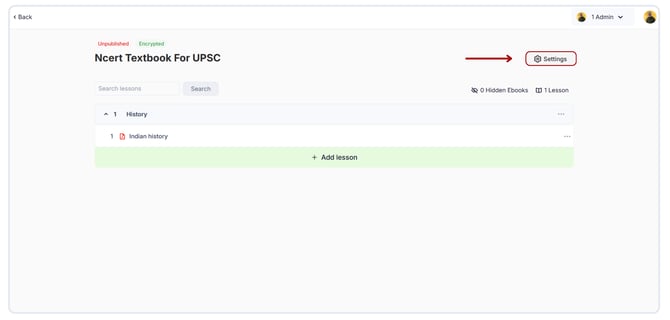
- Under Publish/Delete eBook, click Publish eBook
.png?width=670&height=321&name=Publish%20a%20E-Book%20(2).png)
- Select the Live option and click the Publish button
-1.png?width=670&height=321&name=Publish%20a%20tag%20(1)-1.png)
-
Your eBook is now published and available for purchase by learners based on the published pricing plan.