![Learnyst Logo-25-1.png]](https://support.learnyst.com/hs-fs/hubfs/Learnyst%20Logo-25-1.png?height=40&name=Learnyst%20Logo-25-1.png)
To add a custom invoice number:
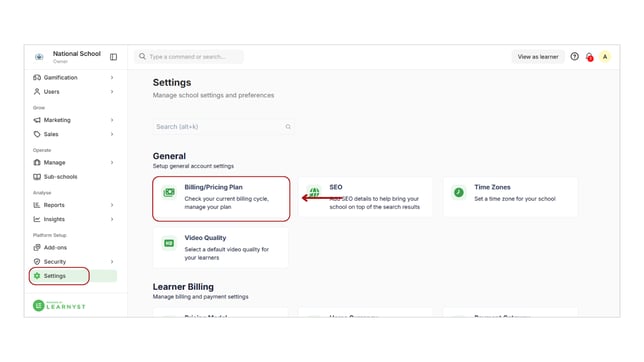
- Navigate to your school settings and click on Billing under the General label.
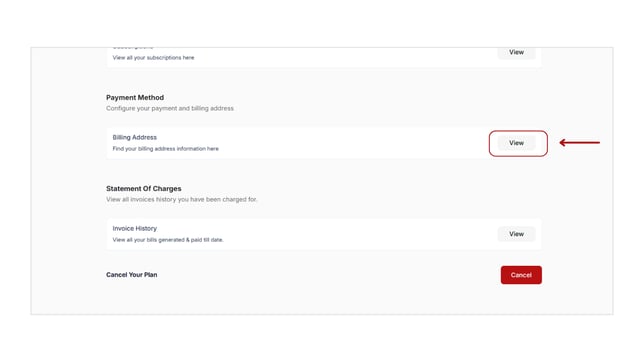
- Under the Payment Method, click View for the billing address you want to edit.
- Click on the billing address and select Edit custom invoice.
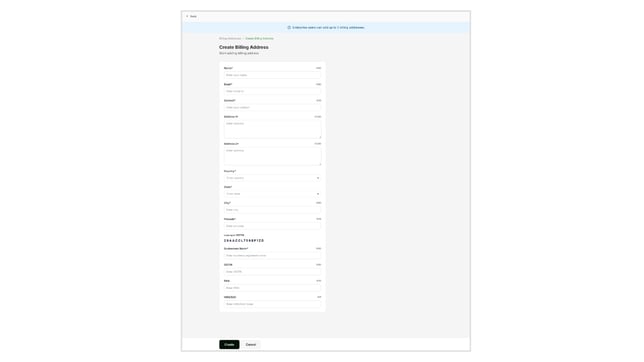
- Toggle on Customize Invoice Number and enter your desired prefix and serial number.
- Save your changes.
- When a learner makes a payment, they will receive the custom invoice via email and can view it in their account.