![Learnyst Logo-25-1.png]](https://support.learnyst.com/hs-fs/hubfs/Learnyst%20Logo-25-1.png?height=40&name=Learnyst%20Logo-25-1.png)
- Go to Admin Dashboard → Community → Learnyst Communities and select the community which you want to delete.
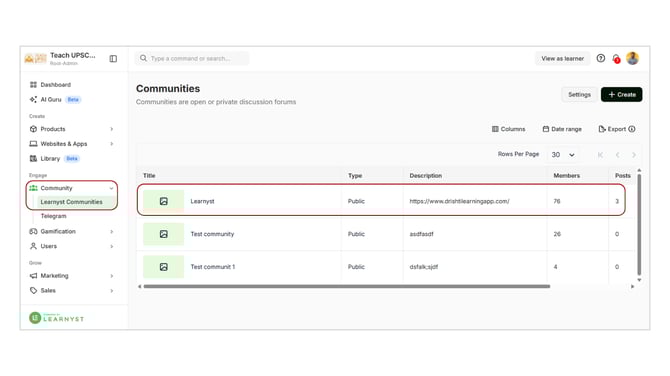
-
Click on More → Delete.(Community should be in unpublished status)
- Confirm the action to permanently delete the community.
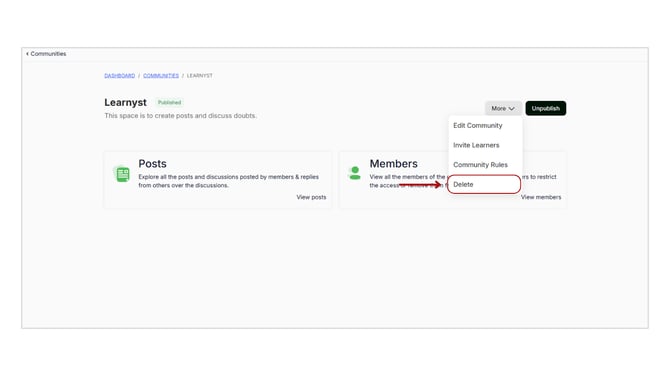
Deleting a community removes it completely, so ensure it is unpublished before proceeding.