![Learnyst Logo-25-1.png]](https://support.learnyst.com/hs-fs/hubfs/Learnyst%20Logo-25-1.png?height=40&name=Learnyst%20Logo-25-1.png)
-
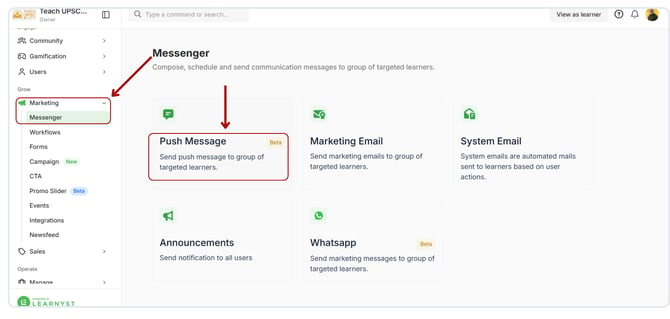
To permanently remove a push message, go to Marketing → Push Message
-
Select the push message you want to delete
-
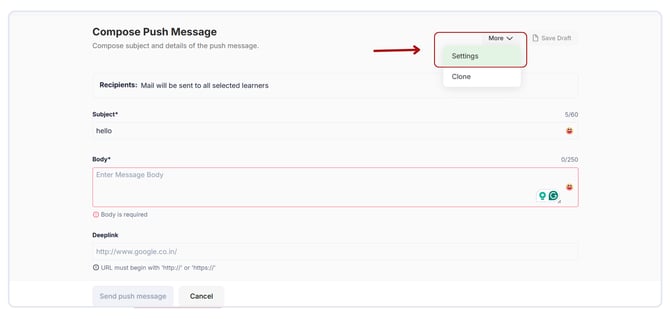
Click on More → Settings
-
Navigate to the Delete Message option
-
Enter the message title for confirmation
-
Click the Delete button
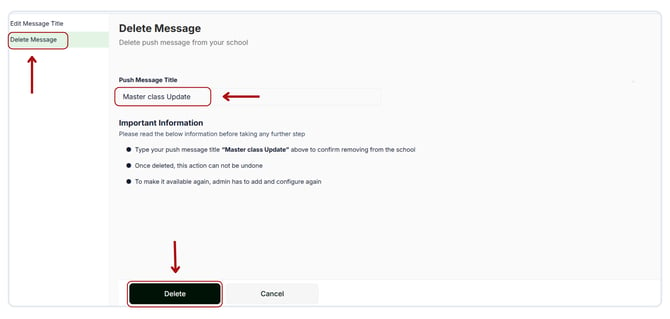
Note: This action cannot be undone. Deleted messages cannot be recovered.