![Learnyst Logo-25-1.png]](https://support.learnyst.com/hs-fs/hubfs/Learnyst%20Logo-25-1.png?height=40&name=Learnyst%20Logo-25-1.png)
You can delete your test from your test series in three ways.
1. First way:
1. First way:
- Go to Products > Test Series > Select the desired test series.
- Click the three-dot option in the tests.
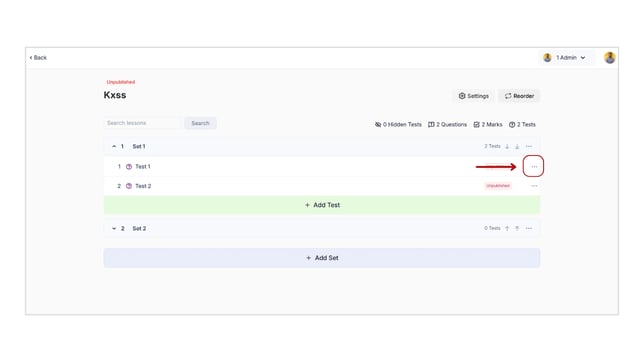
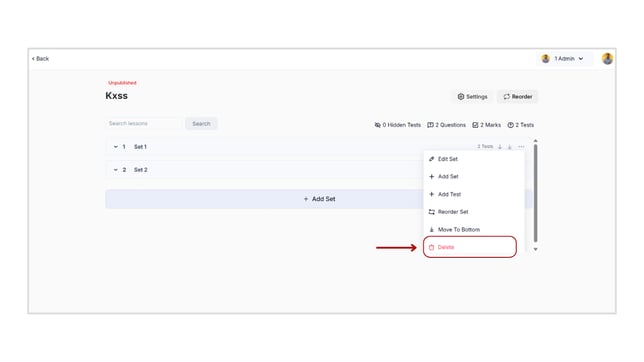
- The delete option will appear. Click the Delete option.
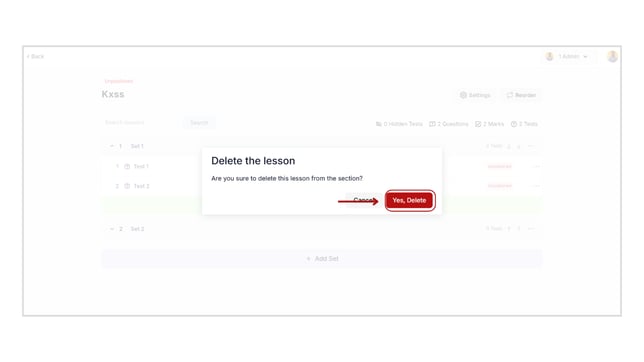
- A pop-up for confirmation is now visible on your screen. Click the Yes, Delete button.
2. The second way:
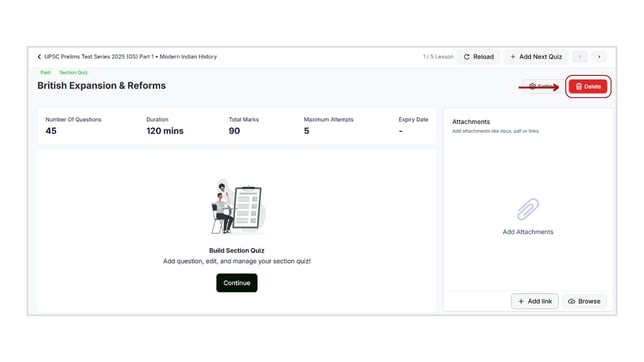
- Select the test you want.
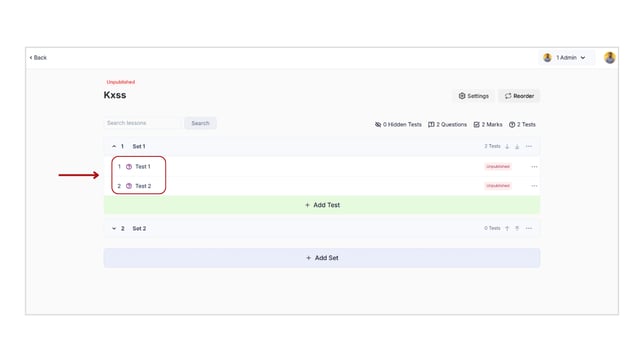
- Click the Delete button.
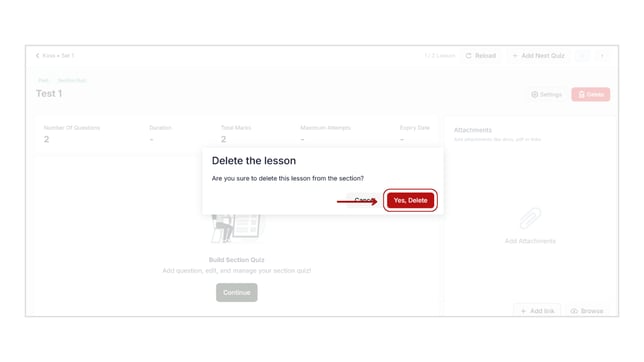
- A pop-up for confirmation is now visible on your screen. Click the Yes, Delete button.
3. Third way:
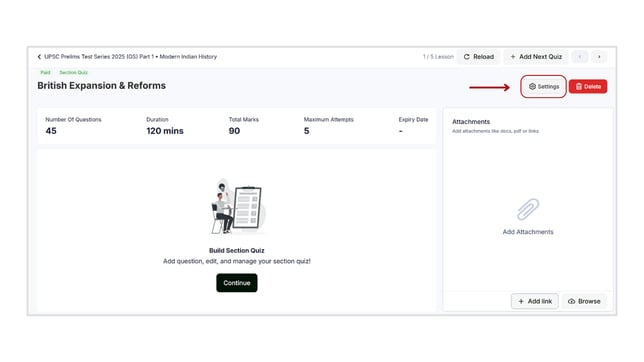
- Select the test you want.
- Click the Settings button.
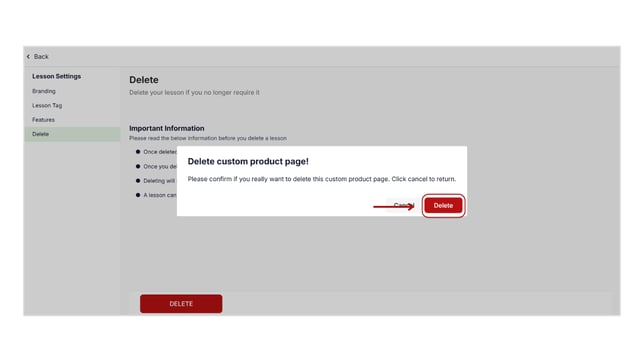
- Select the Delete option from the left-hand side of the window.
- Click the "Delete" button.
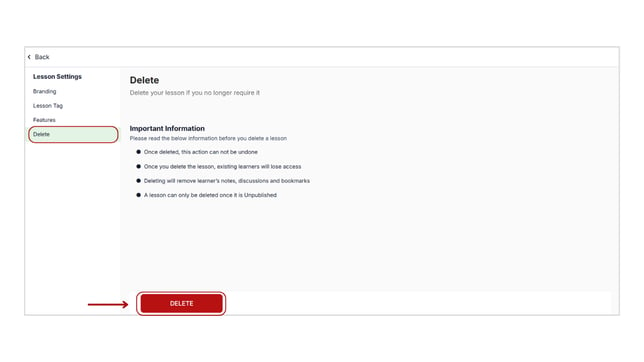
- A pop-up for confirmation is now visible on your screen. Click the Delete button.
- With these methods, you can remove your tests.
- Once deleted, this action cannot be undone.
- Once you delete the test, existing learners will lose access.
- Deleting will remove the learner’s notes, discussions, and bookmarks.
- A test can only be deleted once it is unpublished.