- To disable your course from selling independently, go to Products > Bundles > Desired Bundle.
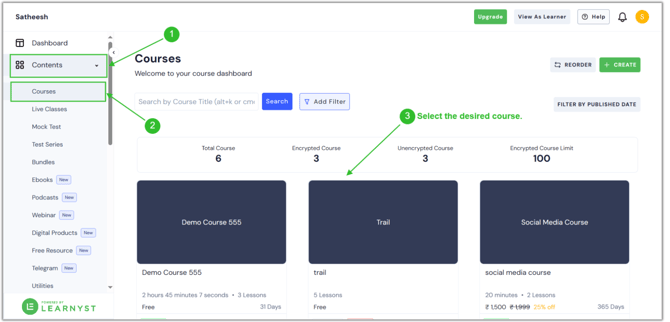
- Then click the Settings button.
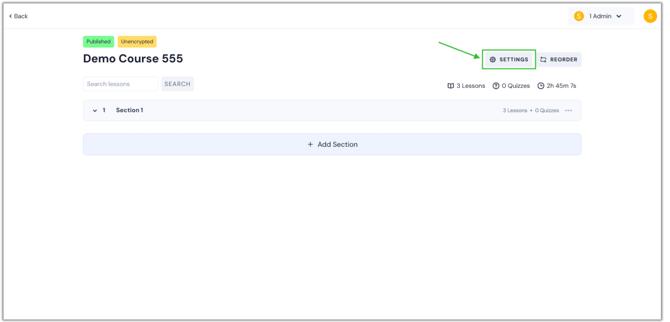
- Now, you will arrive at the settings page. Select the "Permissions" option under Pricing & Permissions by scrolling down.
.png?width=670&height=322&name=remo%20(3).png)
- Now you can see the Sell Independently option. By default, each course that you generate will be sold independently. Now disable it.
.png?width=670&height=322&name=remo%20(4).png)
- Once you disable this option, click on the Save button. Now, your product cannot be sold separately from a package.
- In the same way, you can disable the Sell independently feature for all of your products, including courses, test series, and mock tests.
English
![Learnyst Logo-25-1.png]](https://support.learnyst.com/hs-fs/hubfs/Learnyst%20Logo-25-1.png?height=40&name=Learnyst%20Logo-25-1.png)