![Learnyst Logo-25-1.png]](https://support.learnyst.com/hs-fs/hubfs/Learnyst%20Logo-25-1.png?height=40&name=Learnyst%20Logo-25-1.png)
- To modify the section quiz's instructions, navigate to Products > Mock test > Selected Mock test
- When you arrive here, click the More option.
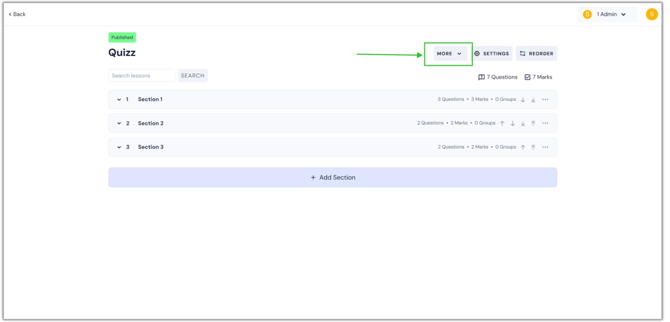
- Then, choose the Quiz Instructions option from the dropdown.
.png?width=670&height=322&name=imp%20qp%20(7).png)
- You'll now arrive at this page. You can edit the instructions for your section quiz here. Additionally, you can preview your quiz instructions on the right side of the page.
.png?width=670&height=322&name=imp%20qp%20(8).png)
- Once you have completed the necessary things, click the Save button.
.png?width=670&height=322&name=imp%20qp%20(9).png)