![Learnyst Logo-25-1.png]](https://support.learnyst.com/hs-fs/hubfs/Learnyst%20Logo-25-1.png?height=40&name=Learnyst%20Logo-25-1.png)
-
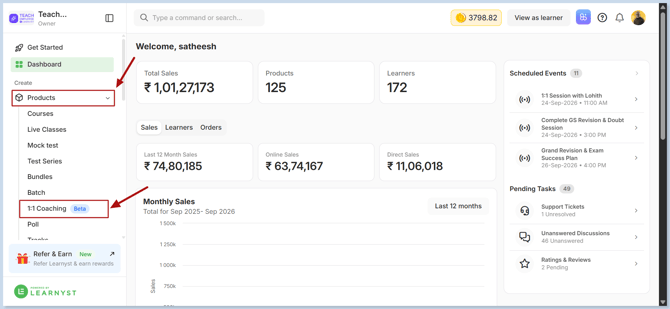
To enable 1:1 Coaching, navigate to Products → 1:1 Coaching from your Learnyst dashboard.
-
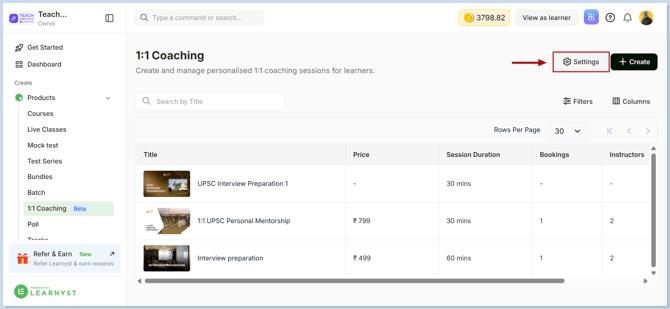
Click the Settings button
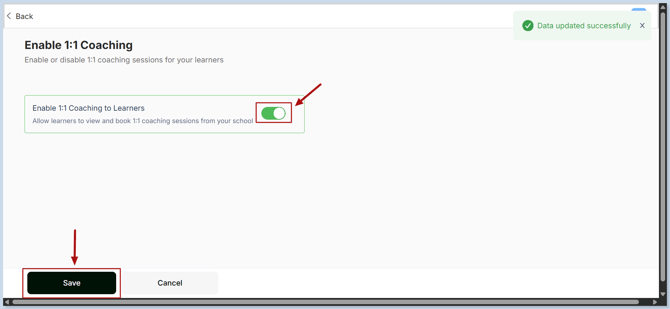
- Now, enable 1:1 Coaching and click Save to apply the changes.
-
Your 1:1 coaching feature is now enabled and ready to be configured for your academy.