![Learnyst Logo-25-1.png]](https://support.learnyst.com/hs-fs/hubfs/Learnyst%20Logo-25-1.png?height=40&name=Learnyst%20Logo-25-1.png)
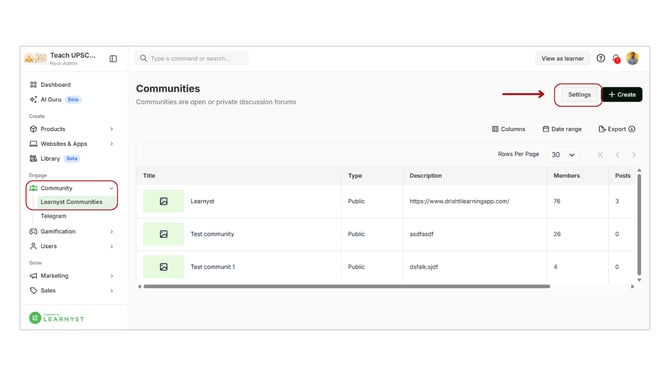
- Go to Admin Dashboard → Community → Learnyst Communities.
- Click on the Settings button at the top-right corner.
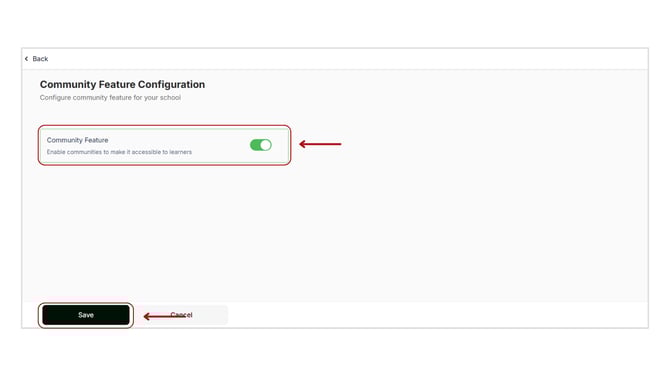
- On the settings page, enable the Community Feature option.
- Click on Save to activate the feature for your school.
Once enabled, you can start creating and managing communities to engage your learners effectively.