![Learnyst Logo-25-1.png]](https://support.learnyst.com/hs-fs/hubfs/Learnyst%20Logo-25-1.png?height=40&name=Learnyst%20Logo-25-1.png)
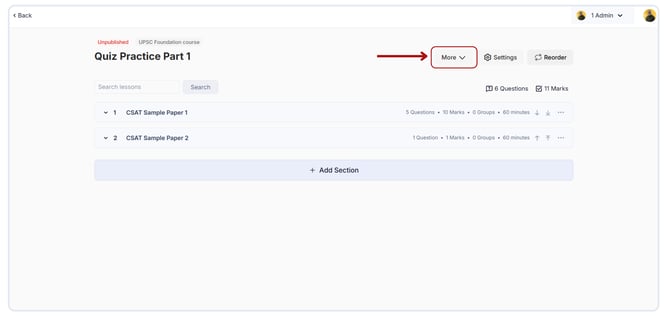
- To Export the question and answer, go to Select the quiz > Select the More option.
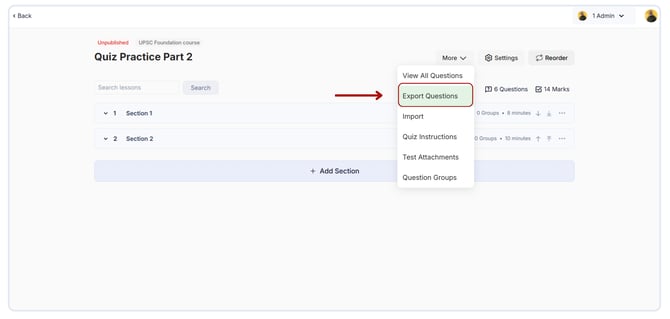
- Select the Export Questions option from the dropdown.
- Then, a pop-up will appear on your screen. Click the Export button after selecting the check box.
.png?width=670&height=320&name=Export%20quizs%20questions%20and%20answers.%20(1).png)
- Now successfully All questions and answers within the test will be exported.