![Learnyst Logo-25-1.png]](https://support.learnyst.com/hs-fs/hubfs/Learnyst%20Logo-25-1.png?height=40&name=Learnyst%20Logo-25-1.png)
Steps to Raise a Content Issue
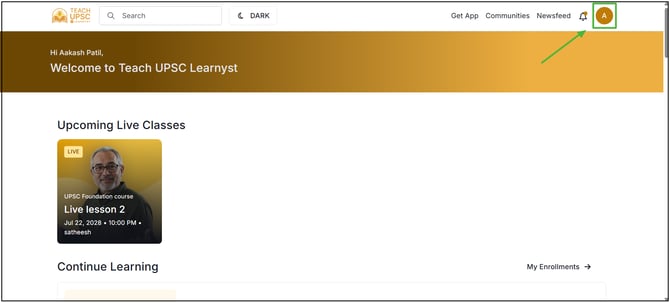
Step 1: Click on the Profile icon in the top-right corner of the learner page.
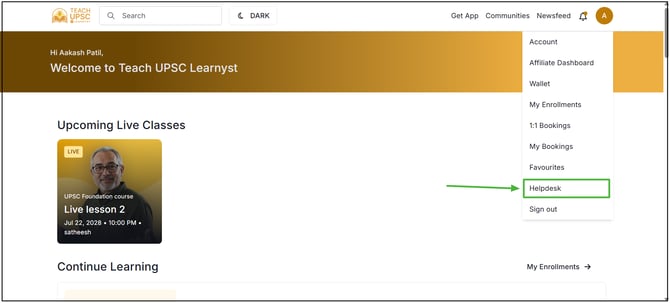
Step 2: From the dropdown menu, select the Helpdesk option.
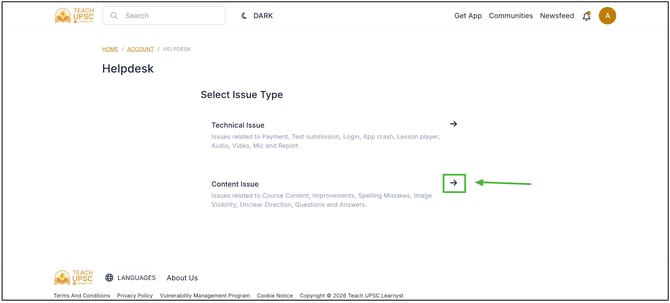
Step 3: The Helpdesk page will open. Select the Content Issue option.
Step 4: A popup form will appear. Select the Subject, choose Content Issue as the category, and enter a detailed description of the issue.
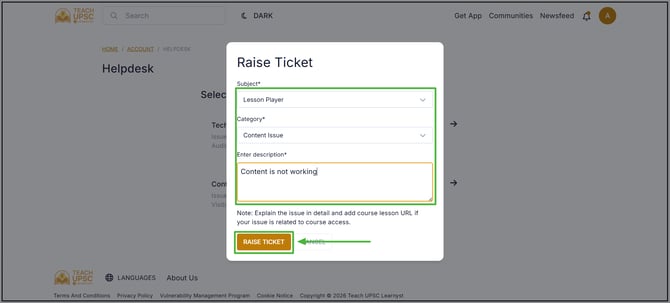
After entering all the required details, click the Raise Ticket button to submit the content issue.
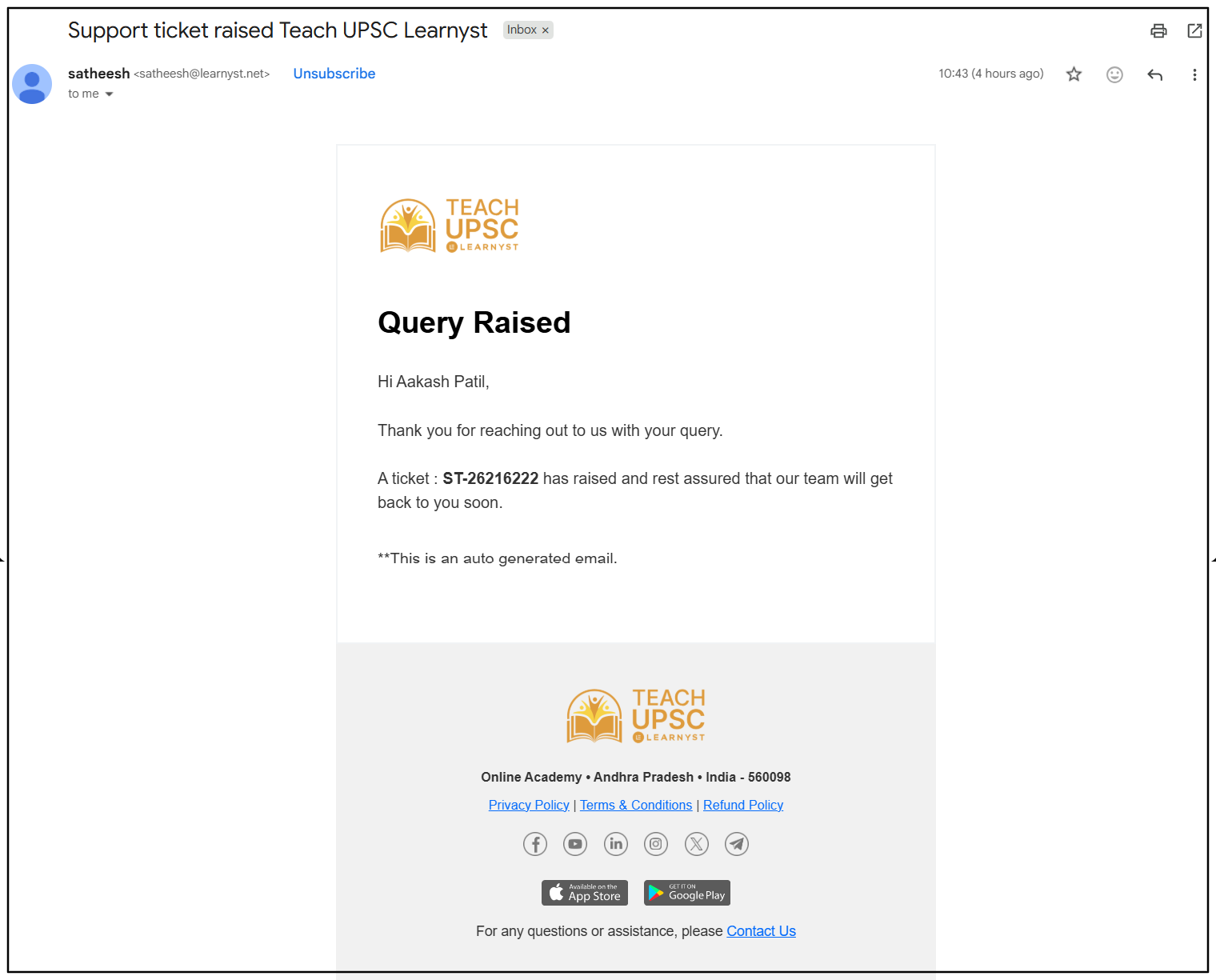
Follow-up though Email
Learner will get email regarding the issue and learner can follow-up through it