![Learnyst Logo-25-1.png]](https://support.learnyst.com/hs-fs/hubfs/Learnyst%20Logo-25-1.png?height=40&name=Learnyst%20Logo-25-1.png)
Steps to Control Marketing Email Notifications
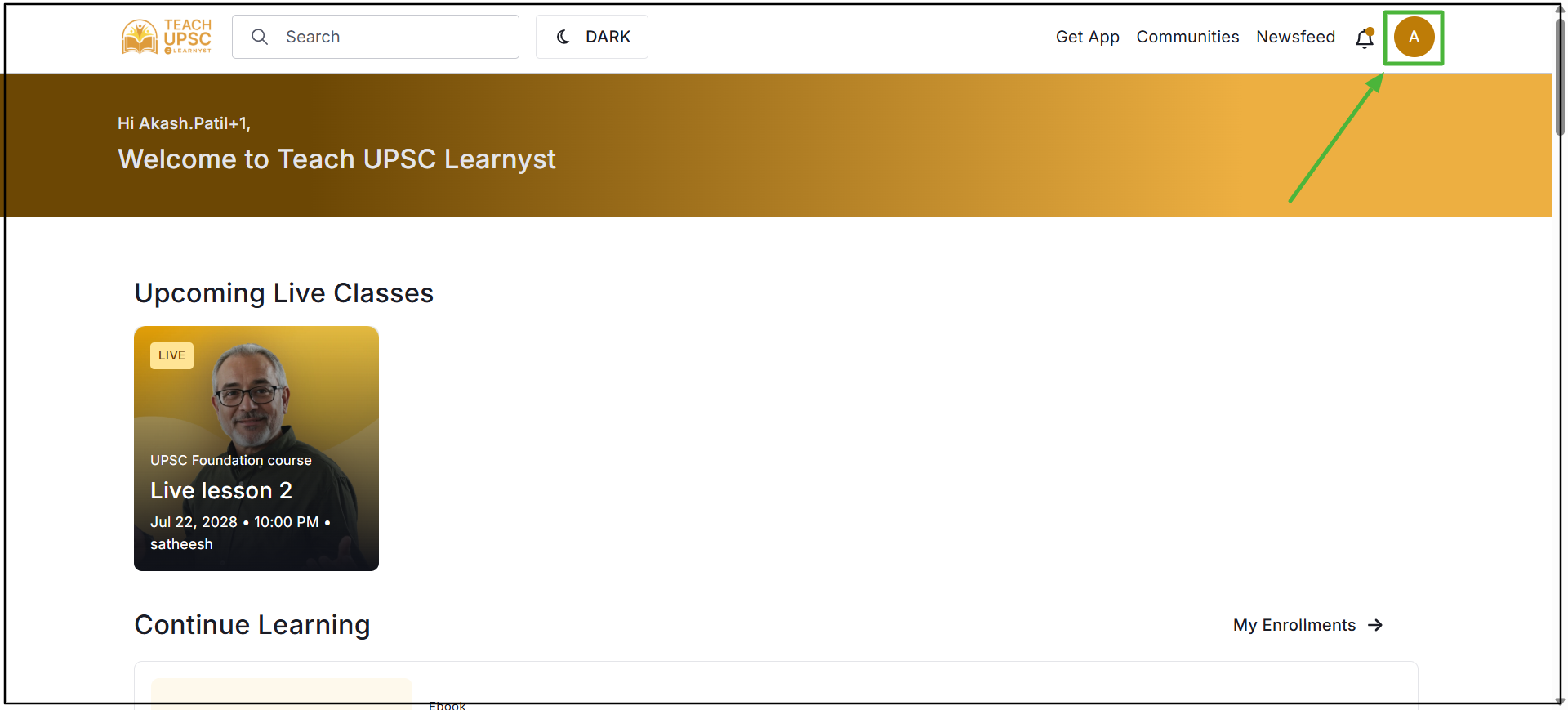
Step 1: Go to the Store page and click on the Profile icon in the top-right corner.
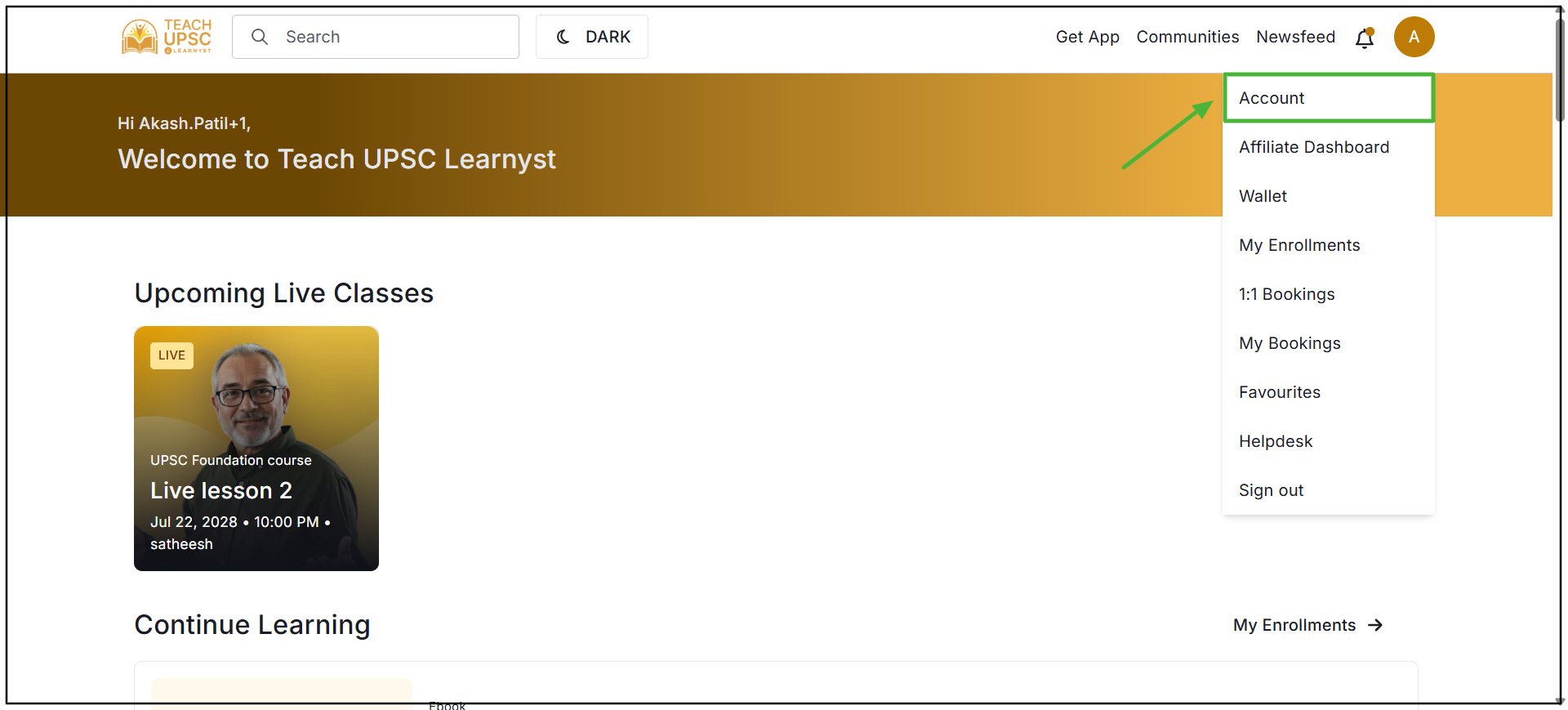
Step 2: Select Account from the dropdown menu.
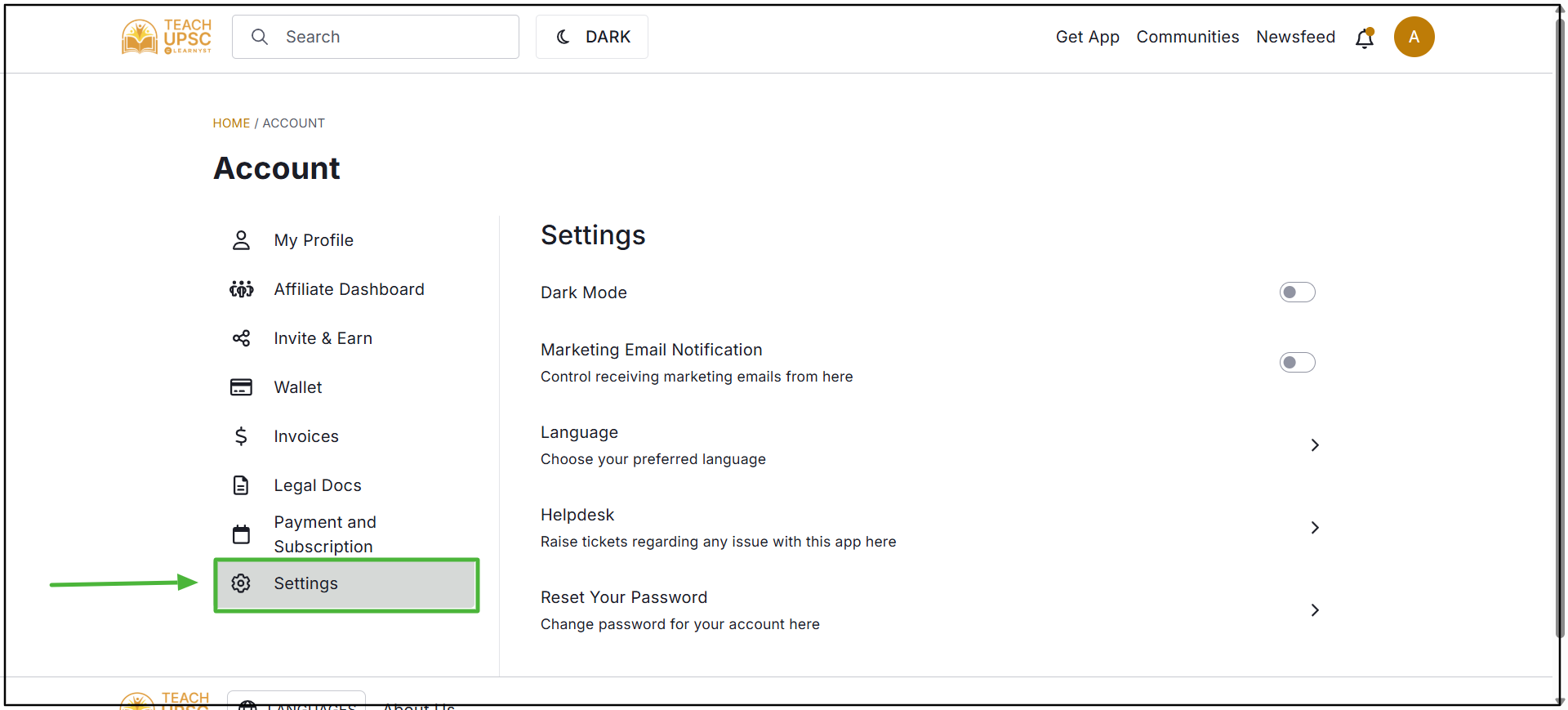
Step 3: Under the Settings section, locate the Marketing Email Notifications option.
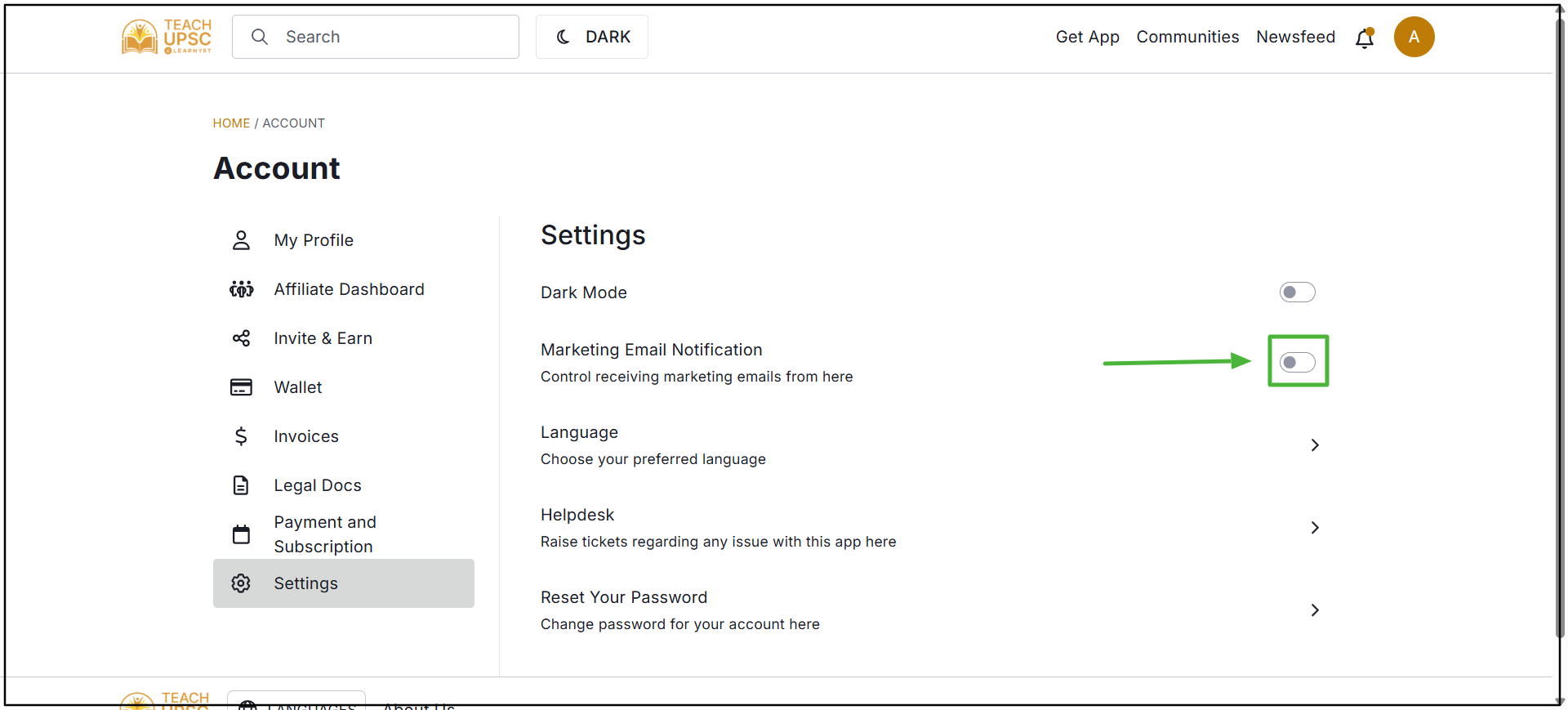
Step 4: Use the toggle option to turn on or turn off marketing email notifications according to the preference.