![Learnyst Logo-25-1.png]](https://support.learnyst.com/hs-fs/hubfs/Learnyst%20Logo-25-1.png?height=40&name=Learnyst%20Logo-25-1.png)
Steps to Download the Course Purchase Invoice
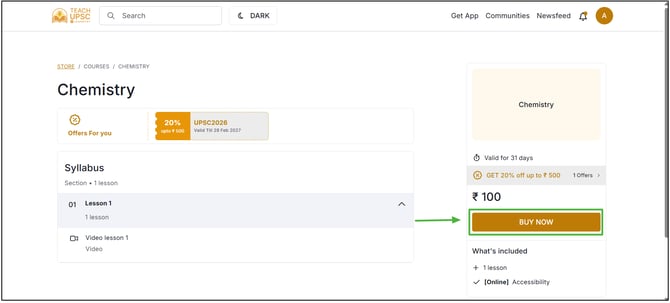
Step 1: Open the course that needs to be purchased and proceed to the Purchase section and complete the payment.
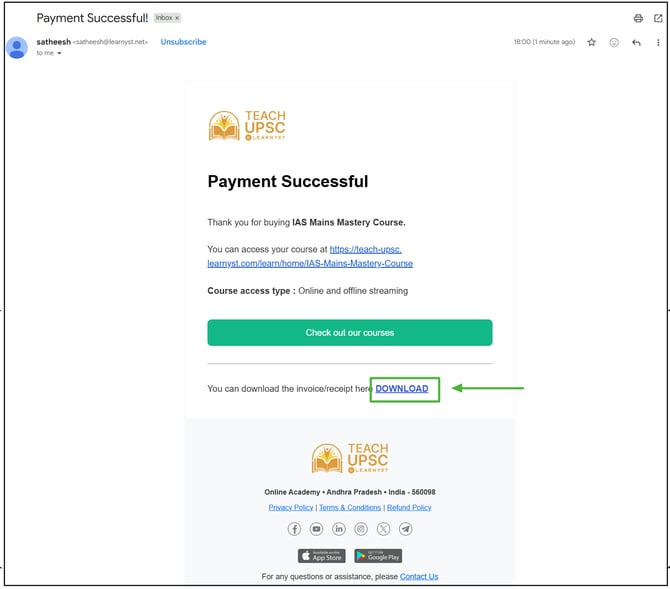
Step 2: After the payment is successful, a course purchase confirmation email will be sent to the learner's registered email address. Open the email and click on the Download option to download the invoice.
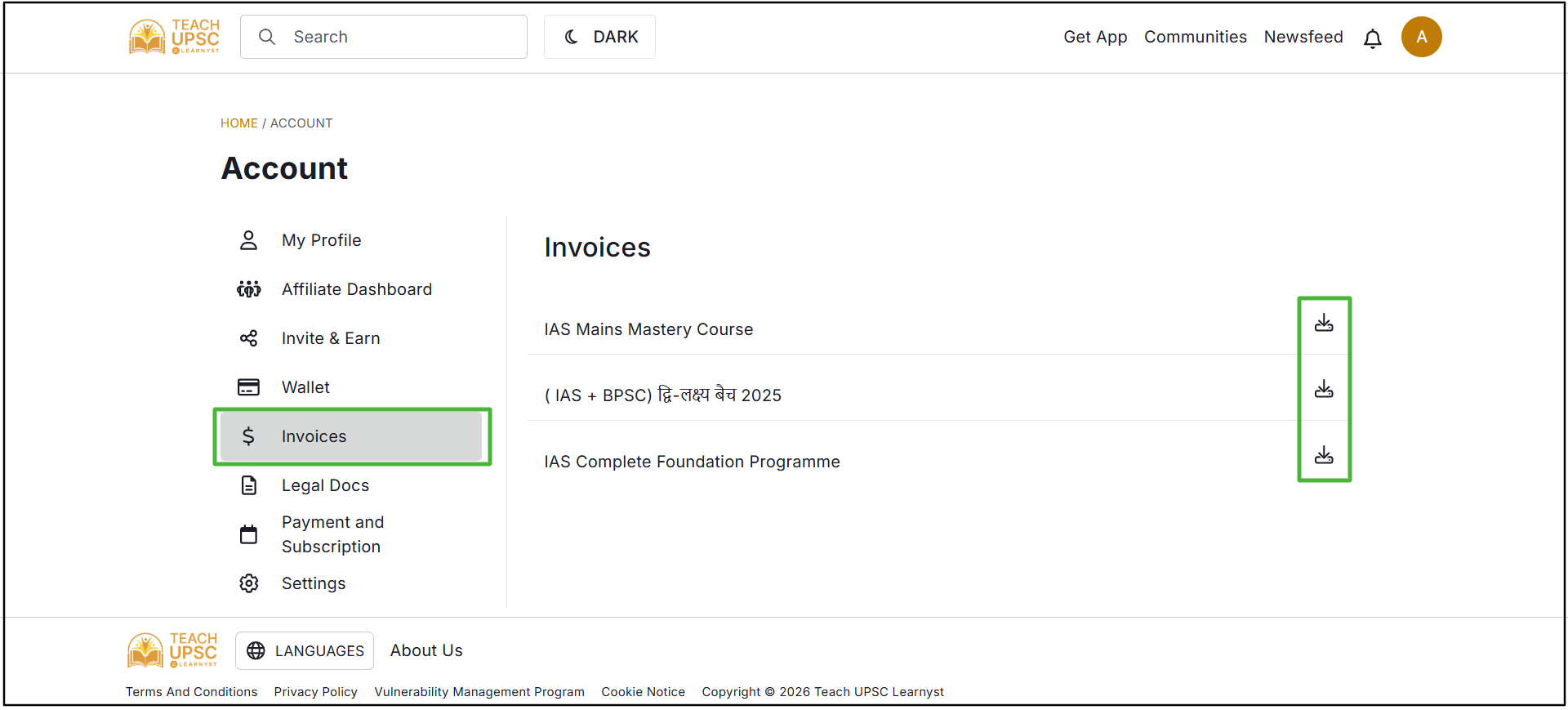
Learners also can download their invoices anytime, just go to profile and click on invoices