![Learnyst Logo-25-1.png]](https://support.learnyst.com/hs-fs/hubfs/Learnyst%20Logo-25-1.png?height=40&name=Learnyst%20Logo-25-1.png)
Steps to Set Up the Affiliate Feature
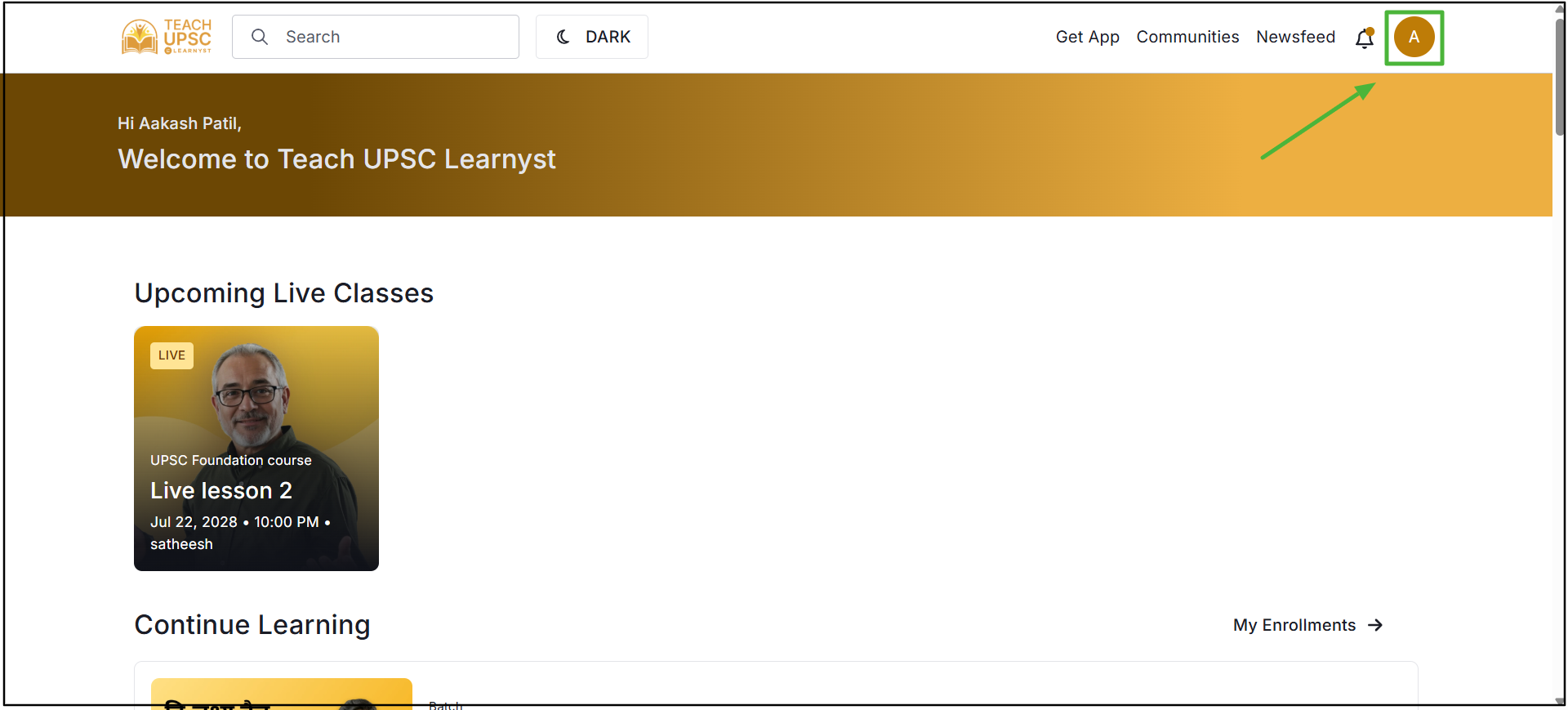
Step 1: Go to the Learner page and click on the Profile icon in the top-right corner.
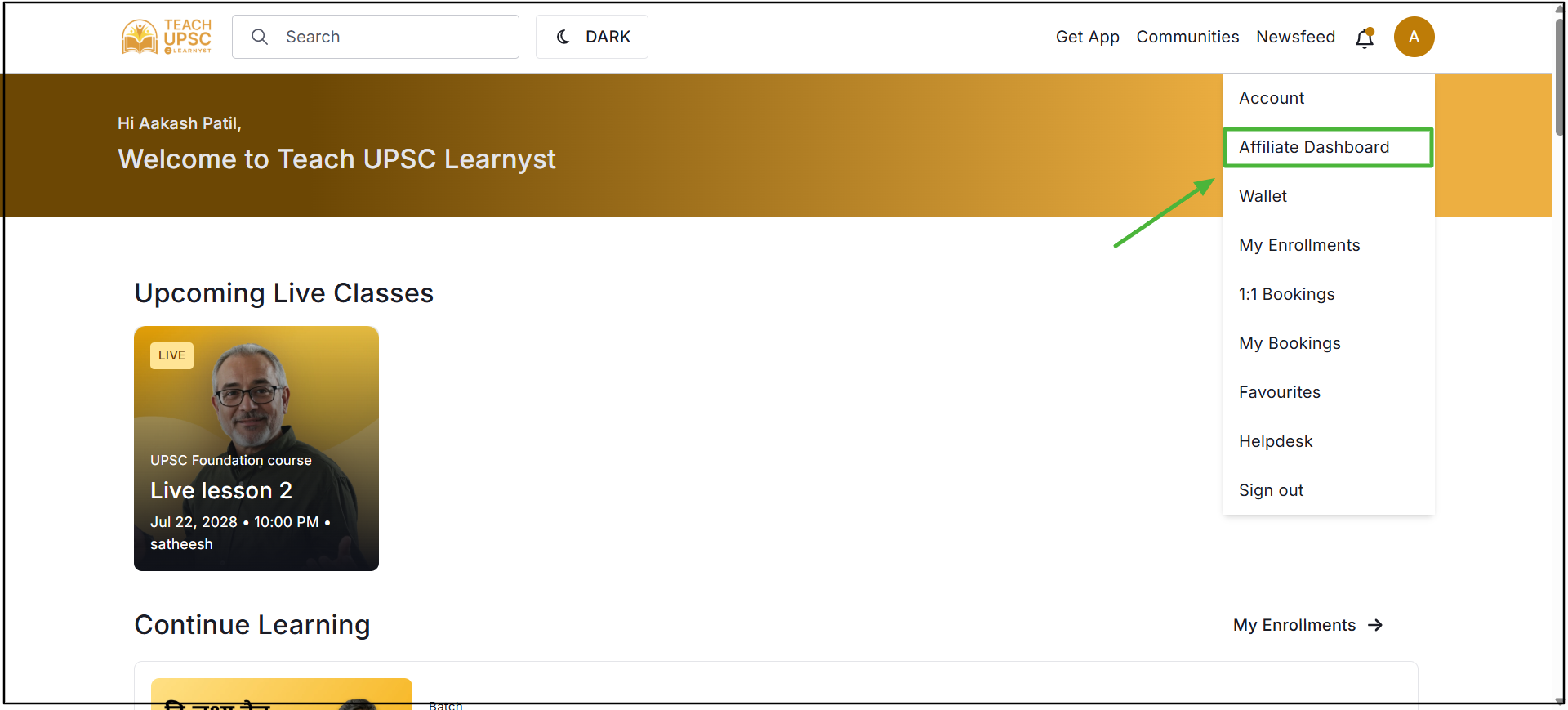
Step 2: Select Affiliate Dashboard from the menu.
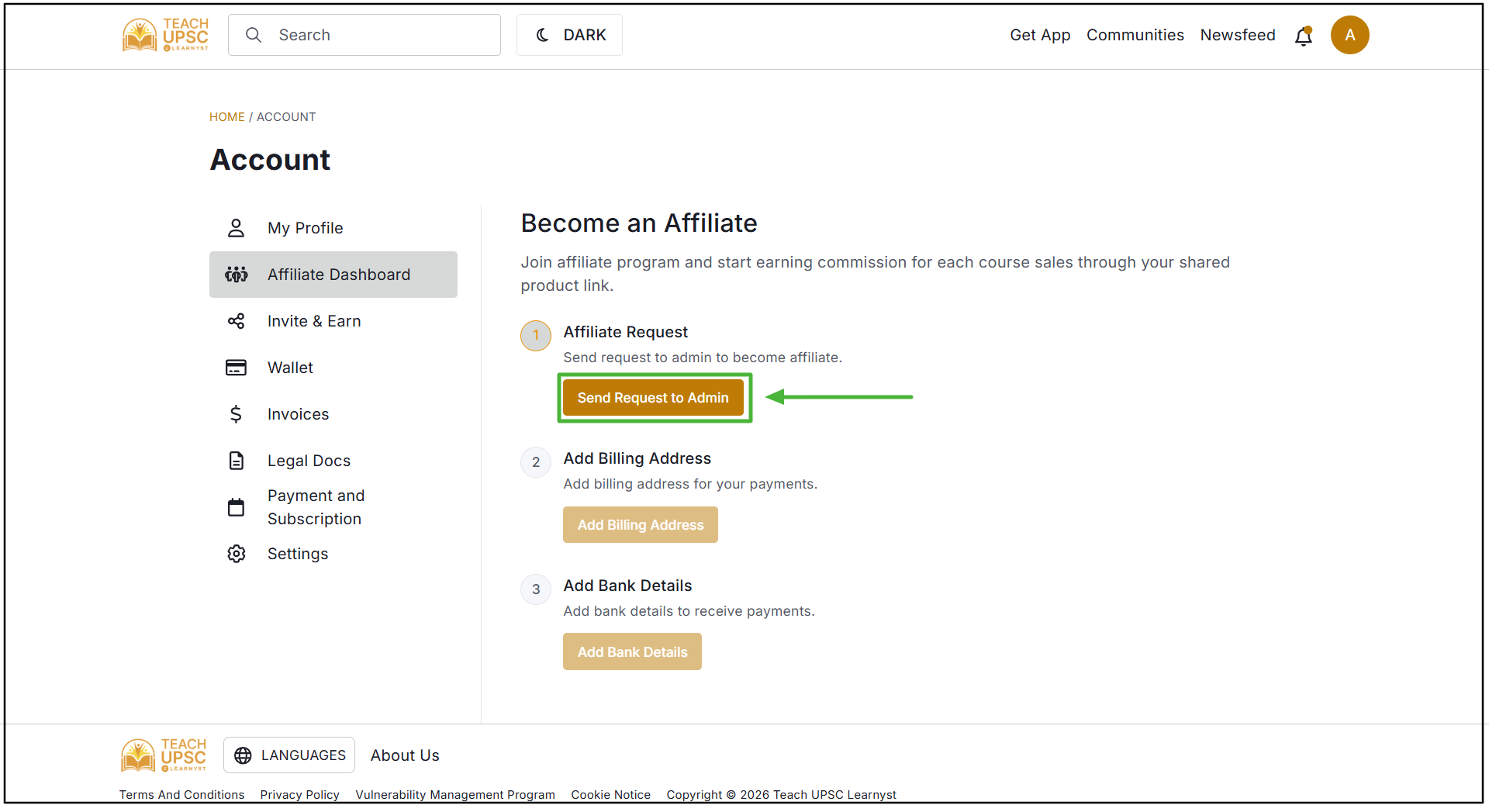
Step 3: In the Affiliate Dashboard, click Send Request to Admin to request affiliate access and Wait for the admin to approve the request.
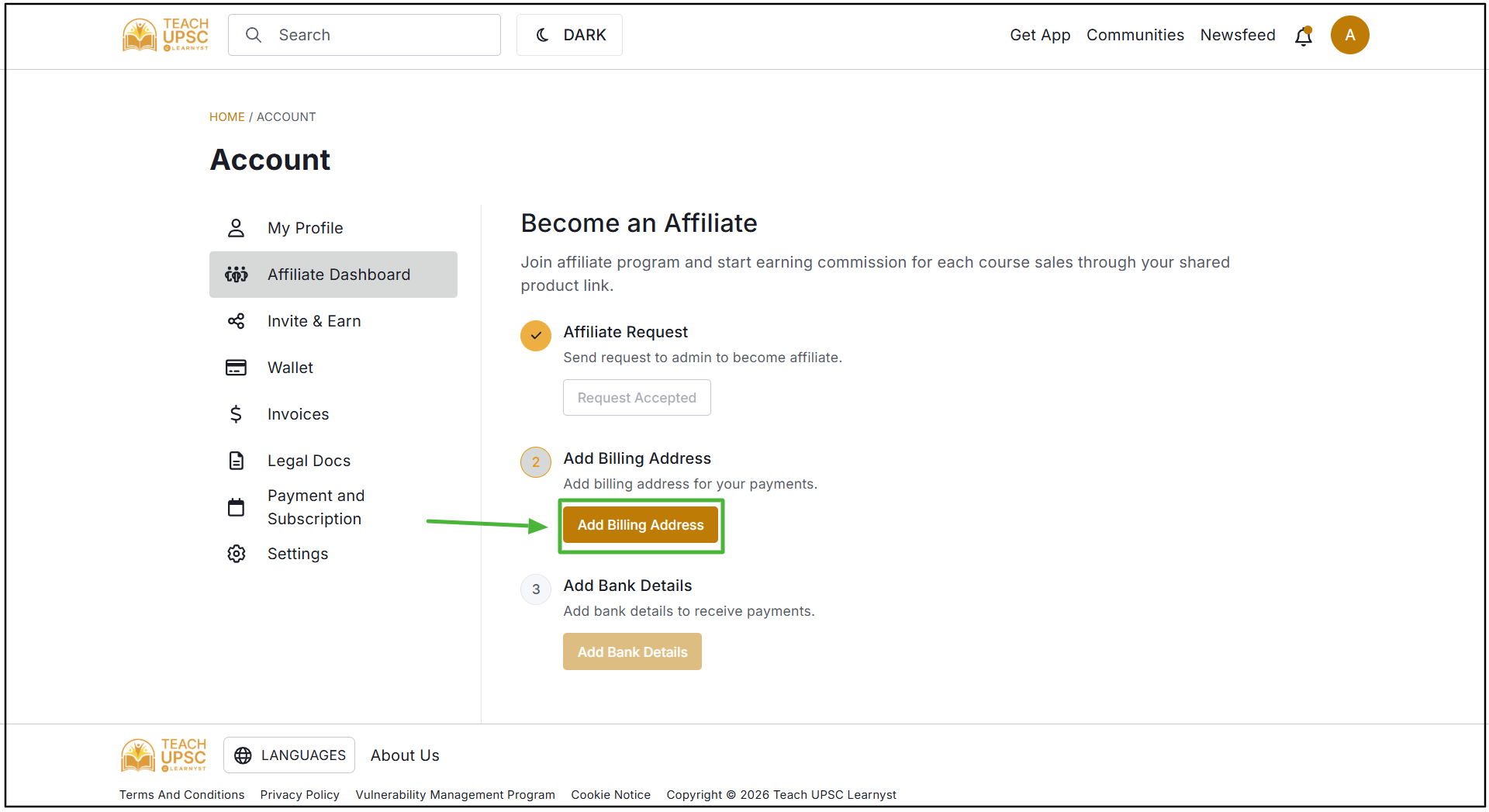
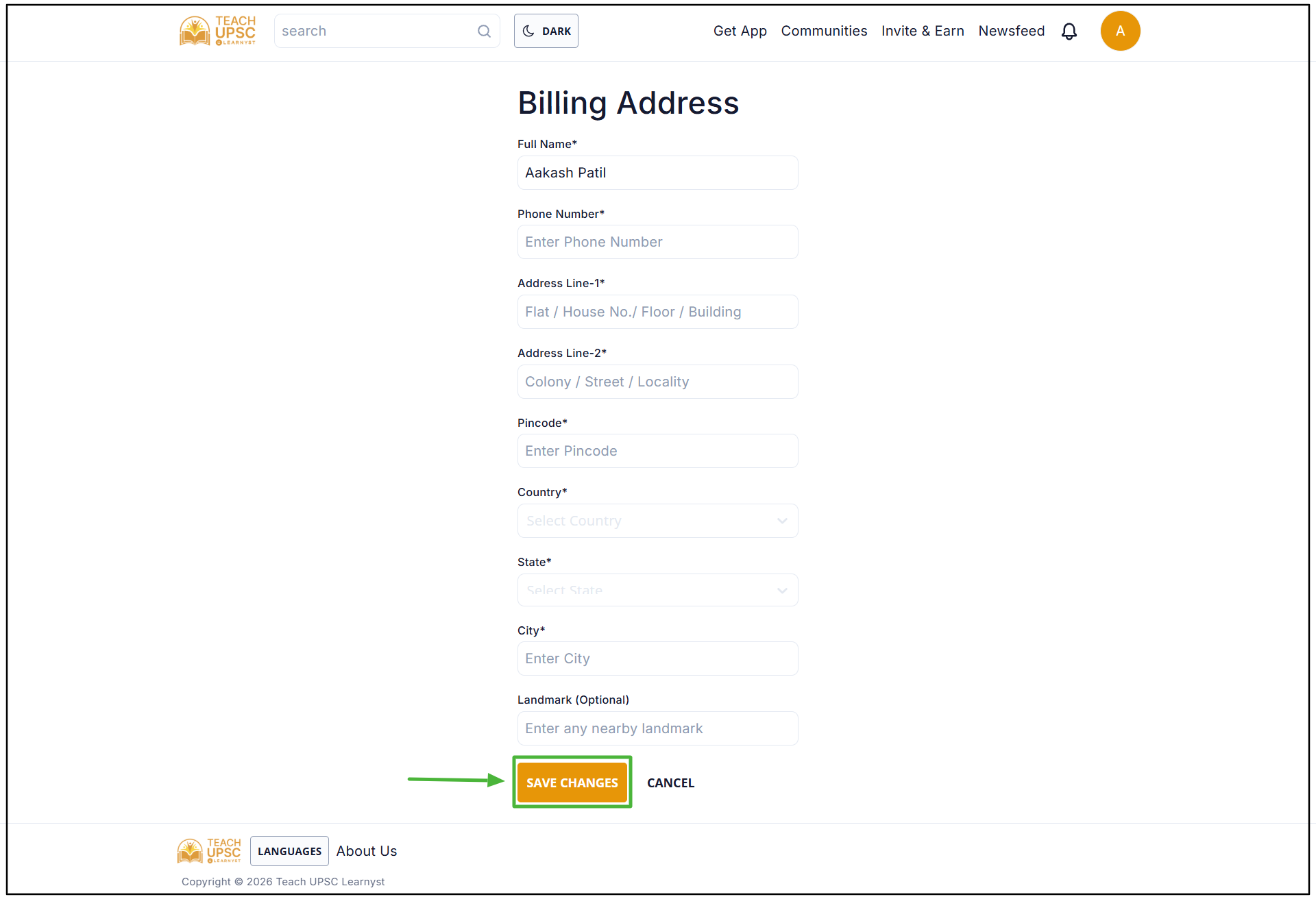
Step 4: After receiving approval, click Add Billing Address.
Step 5: Enter the required billing address details and click Save.
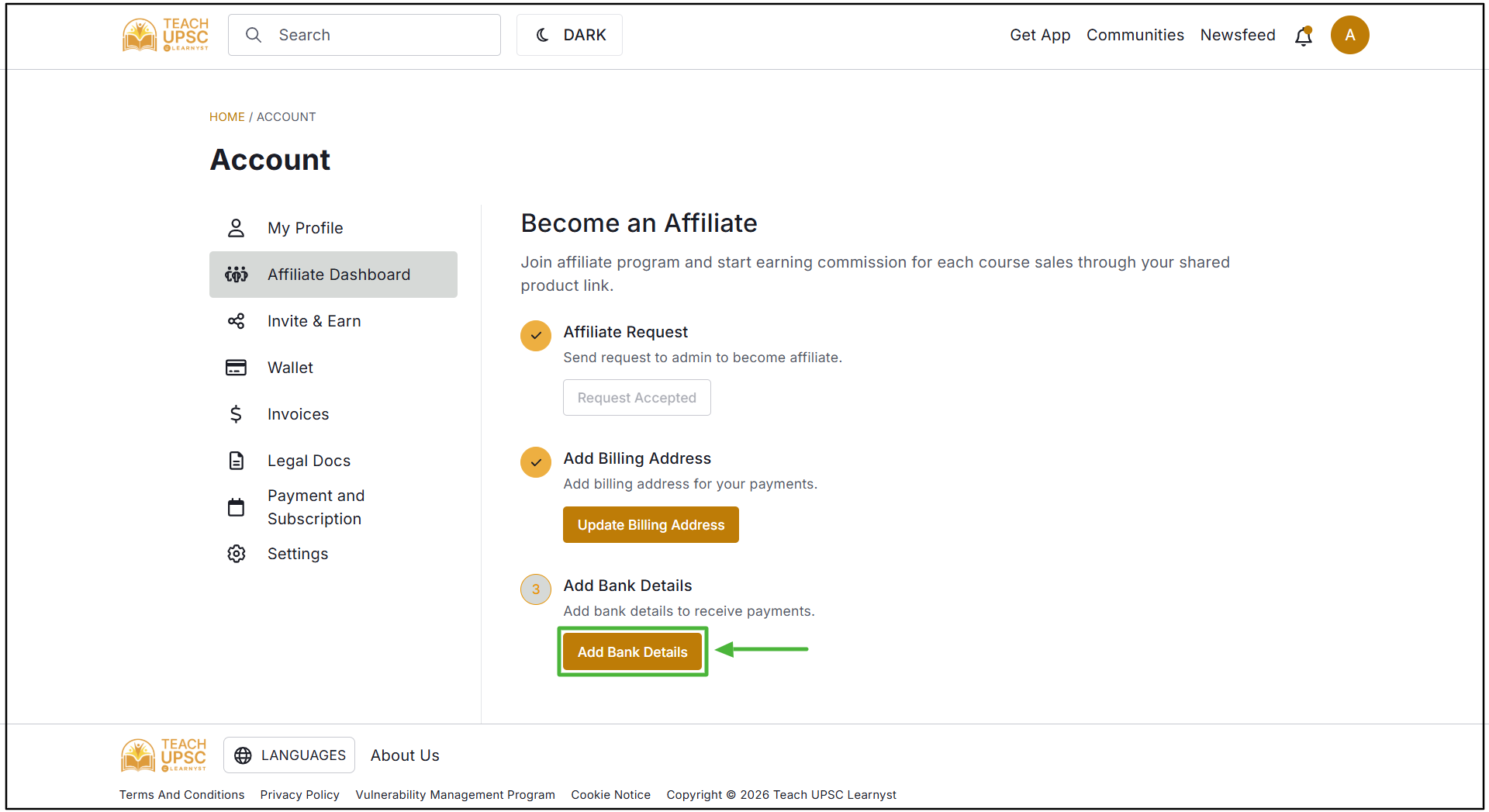
Step 6: After adding the billing address, click Add Banking Details.
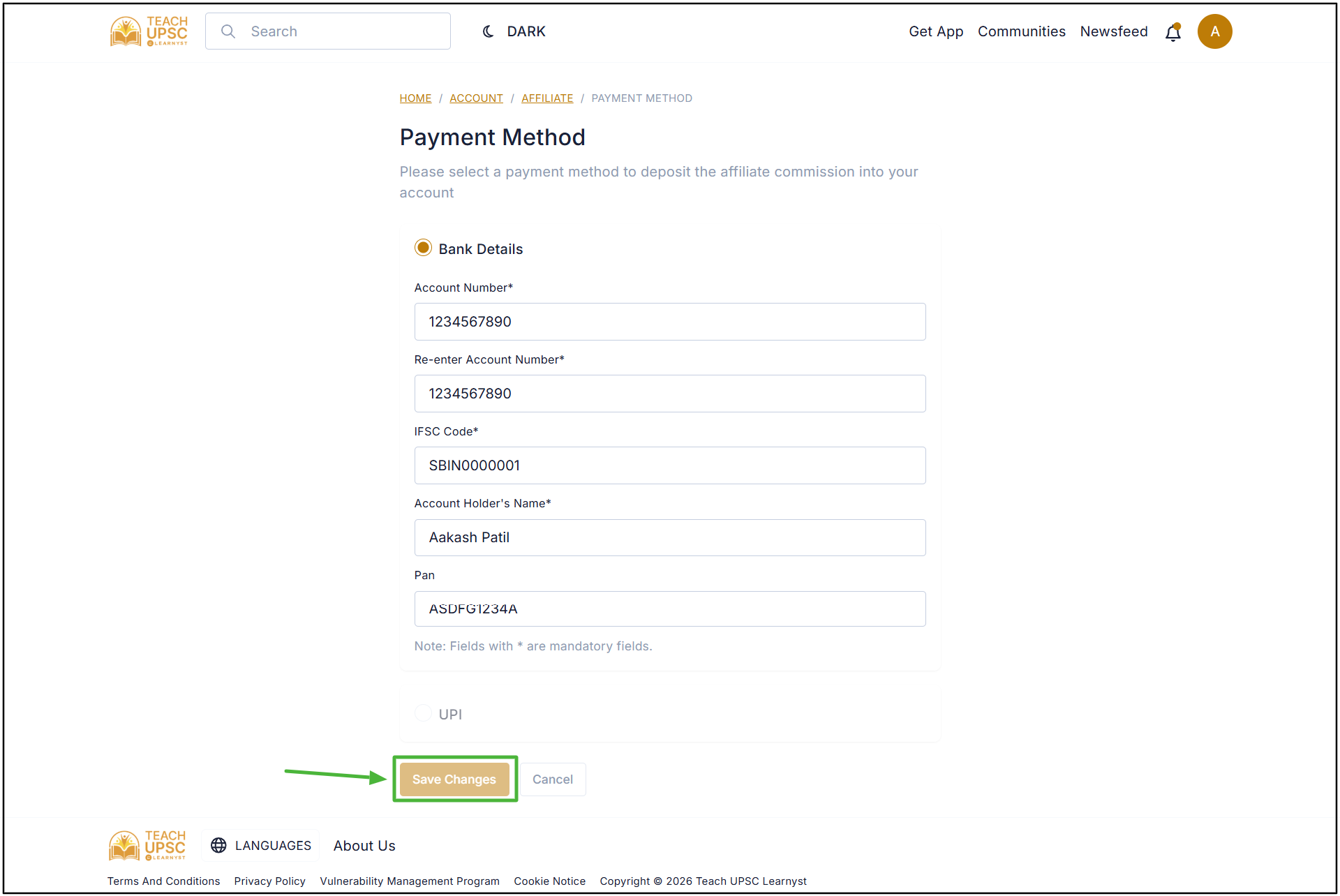
Step 7: Enter the required banking details and click Save.
Step 8: After completing all the required steps, the Affiliate Dashboard will be available.
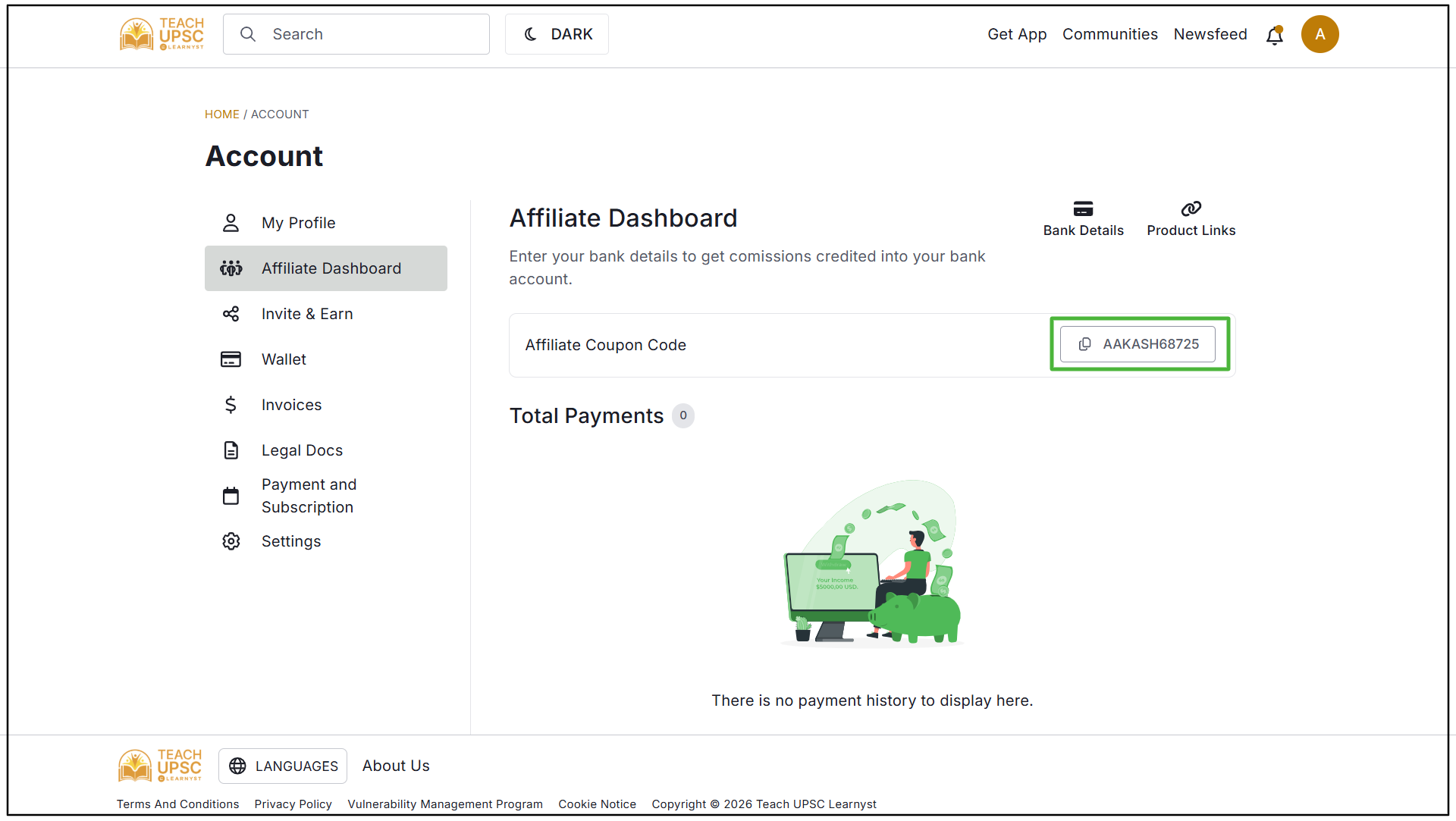
The affiliate code will be displayed in the dashboard. Click the Copy option to copy the affiliate code and use it to promote the available courses.