![Learnyst Logo-25-1.png]](https://support.learnyst.com/hs-fs/hubfs/Learnyst%20Logo-25-1.png?height=40&name=Learnyst%20Logo-25-1.png)
Steps to Renew a Course
Step 1: Go to the Store Page
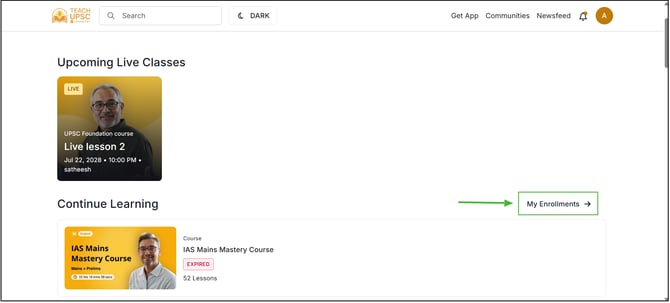
Step 2: Open My Enrollments
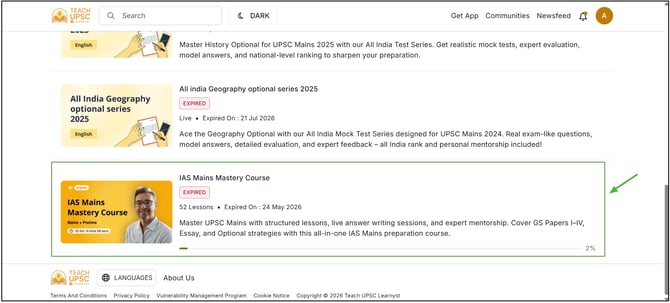
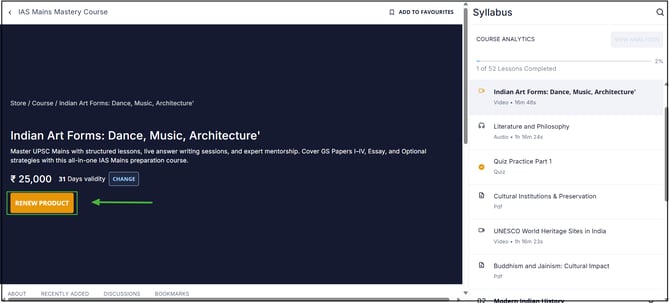
Step 3: Select the Course and Click the Renew Button
Step 4: Complete the Payment
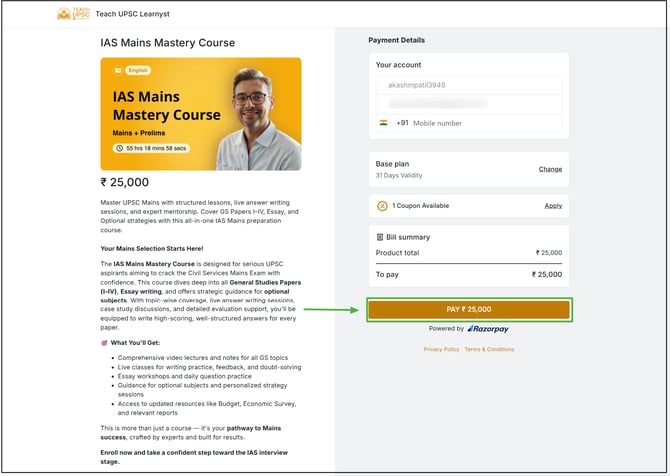
Once the payment is completed successfully, learner course access will be renewed, and learner can continue learning.
Learner can repeat these steps whenever you need to renew any of your purchased courses.