![Learnyst Logo-25-1.png]](https://support.learnyst.com/hs-fs/hubfs/Learnyst%20Logo-25-1.png?height=40&name=Learnyst%20Logo-25-1.png)
-
To get started, sign in to your learner account and navigate to the Store page.
-
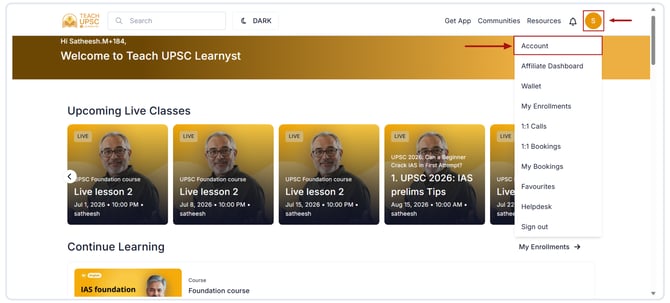
Click your Profile icon and select Account.
-
Open the Invite & Earn section.
.png?width=670&height=303&name=Article%20-%20Invite%20and%20earn%20(2).png)
-
Here, you can view:
- Your referral code
- Total rewards earned
- Number of successful referrals
.png?width=670&height=303&name=Article%20-%20Invite%20and%20earn%20(1).png)
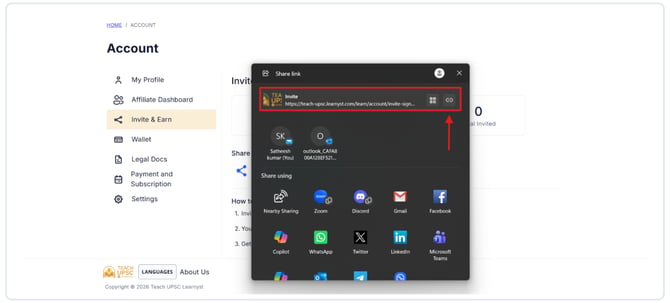
- Click the Share icon to copy your referral link.
-
Share the referral link with your friends, family, or followers through social media, messaging apps, or email.
When someone signs up using your referral link and meets the referral criteria set by the educator, you will receive the applicable rewards in your account.