![Learnyst Logo-25-1.png]](https://support.learnyst.com/hs-fs/hubfs/Learnyst%20Logo-25-1.png?height=40&name=Learnyst%20Logo-25-1.png)
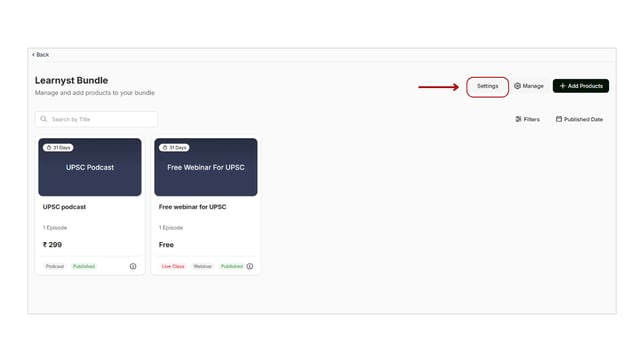
- To manage your bundle's permission settings, navigate to Products > Bundles > Desired Bundle.
- Then click the Settings button.
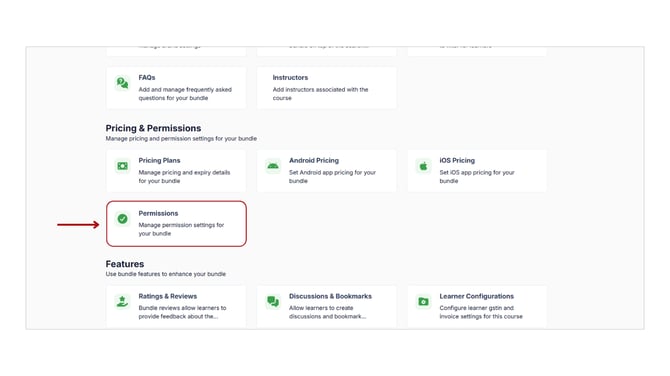
- Select the "Permissions" option under Pricing & Permissions by scrolling down.
- Here you can see your bundle’s permission settings.
- Default Bundle Enrollment: If you choose this option, when your learners sign up for their account, they will automatically enrol in the specified product.
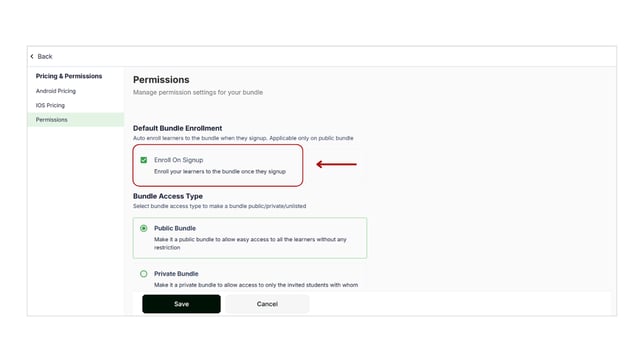
- Bundle Access Type: You can make your bundle a public, private, or unlisted bundle.
- Public Bundle: If you select this option, your bundle will be available to all of your learners. By default, all of your bundle will be public.
- Private Bundle: This option ensures that your bundles are only viewable to the learners you invite.
- Unlisted Bundle: This option removes the bundle from all of your products, including courses. but the learners can access the course via a link.
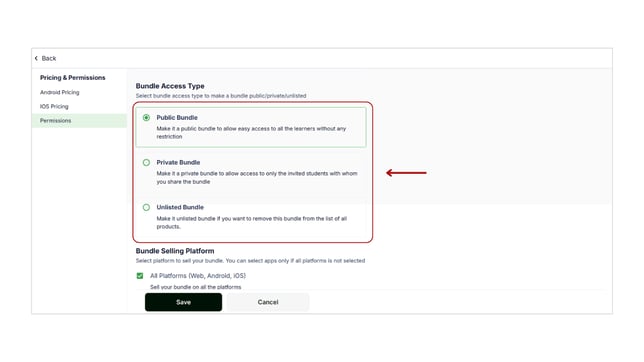
- Bundle Selling Platform: You can also choose your bundle selling platform.
- All Platforms: If you select the "All Platforms" option, your bundle will be available on all platforms, including web, Android, and iOS.
- Sell bundle only through mobile apps: If you wish to sell your bundle on a specific platform, choose the Android and iOS app options.
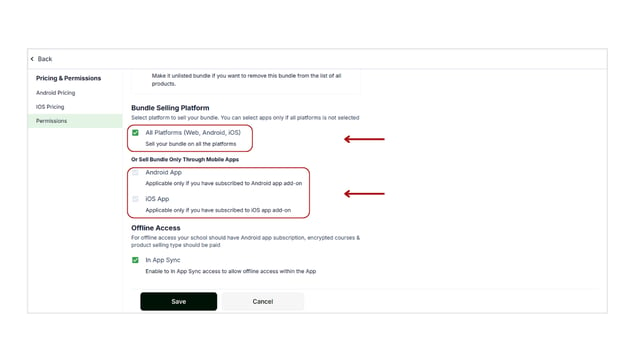
- Offline Access: If you enable this option, your learner can access and download your bundle in the app. They can access them at any time.
- To enable this permission, your school should have an Android app subscription, encrypted bundle and product selling type should be paid.
- Once you can select the necessary permission settings, click on the Save button.
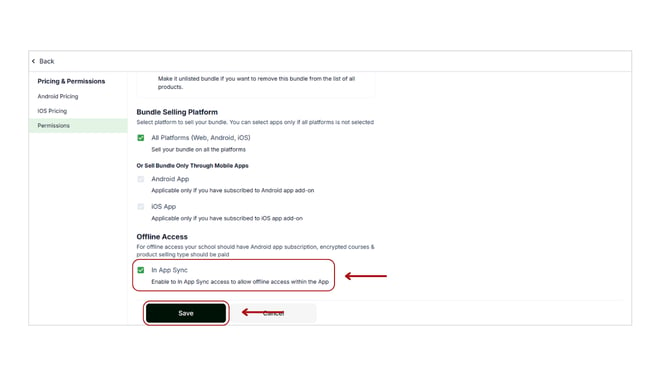
- With these steps, you can set the sell independently, default bundle enrollment, bundle access type, and so on.