![Learnyst Logo-25-1.png]](https://support.learnyst.com/hs-fs/hubfs/Learnyst%20Logo-25-1.png?height=40&name=Learnyst%20Logo-25-1.png)
Steps to Move a Space
Step 1: Open the Socials Dashboard
Go to the Admin Dashboard > View As Learner > Socials Dashboard and locate the Space that needs to be moved.
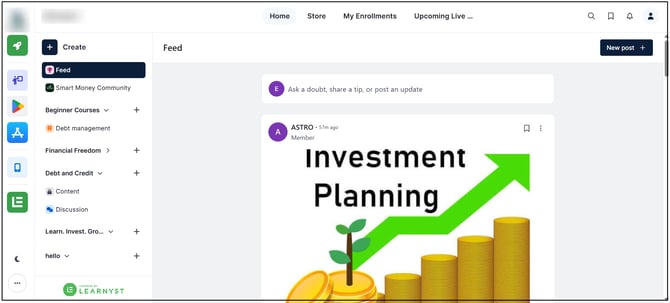
Step 2: Open Space Options
Click the three-dot menu on the Space.
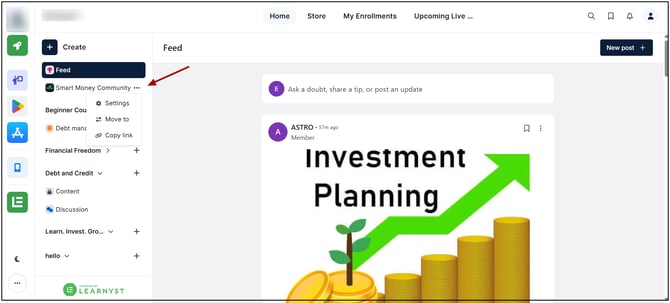
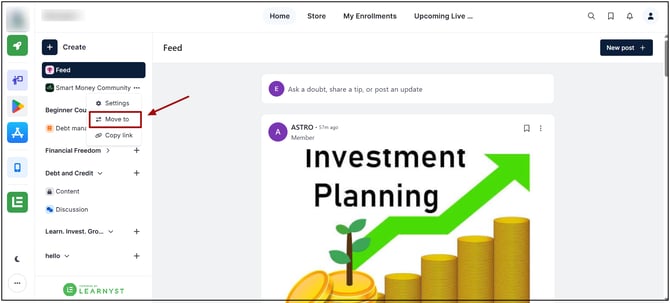
Step 3: Select Move To
Select the Move To option from the menu.
Step 4: Select the Space Group
Choose the required Space Group from the available groups in the Navbar or Sidebar.
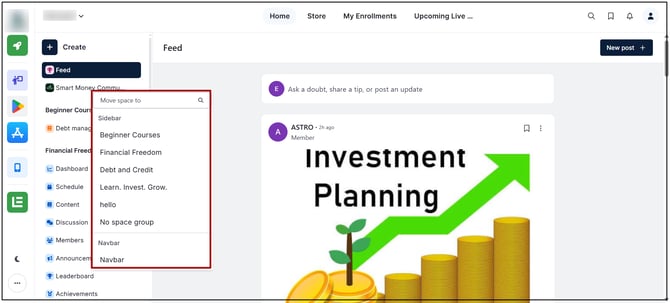
The Space will be moved to the selected Space Group.
The Space will be removed from its current Space Group and placed in the selected Space Group. The Space and its existing content remain available after the move.