![Learnyst Logo-25-1.png]](https://support.learnyst.com/hs-fs/hubfs/Learnyst%20Logo-25-1.png?height=40&name=Learnyst%20Logo-25-1.png)
- To remove learners from your Batch, go to Products > Batch and select the desired Batch.
- Then, click the More > Settings button.
.png?width=670&height=318&name=Learnyst%20Batch%20settings%20(1).png)
- Choose the Remove Learners option.
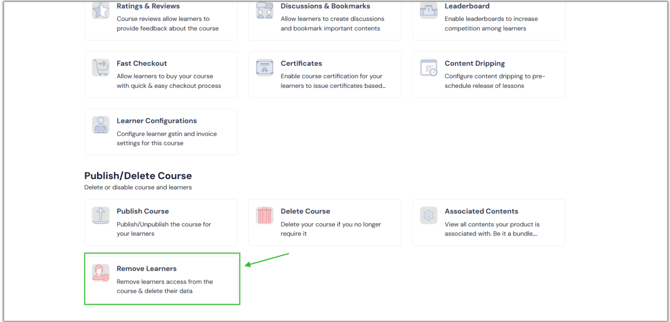
- Now, click the Remove button.
.png?width=670&height=322&name=remo%20(1).png)
- Once you press it, a confirmation pop-up appears on the screen. Then click the Remove Learners button.
.png?width=670&height=322&name=remo%20(2).png)
- You have removed your learners from your Batch.
- In the same way, you can remove learners from all of your products, including bundles, test series, and mock tests.
- When you remove the learners, existing learners will no longer have access to their data.
- Existing learners can enrol/purchase the Batch again as new learners.