![Learnyst Logo-25-1.png]](https://support.learnyst.com/hs-fs/hubfs/Learnyst%20Logo-25-1.png?height=40&name=Learnyst%20Logo-25-1.png)
-
You can also modify the AI-generated scores and remarks to ensure the evaluation meets your academy's requirements.
Review AI-Evaluated Answers
-
To review evaluated answers, navigate to AI Evaluation → Mocktest → Select the desired mock test.
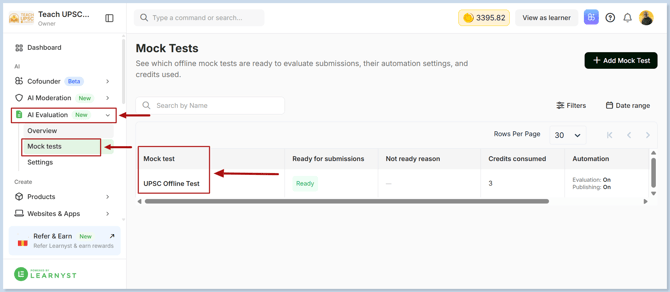
- Click the Review button in the evaluated learner's
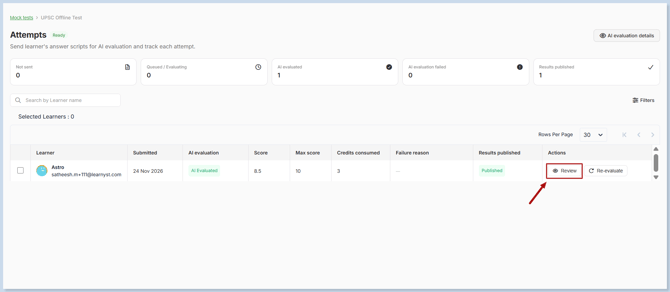
- Then click the Evaluate Answer Sheet button.
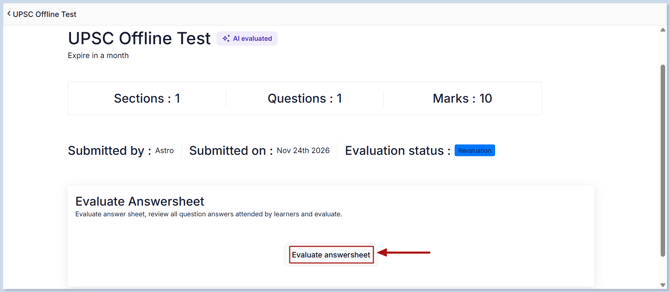
-
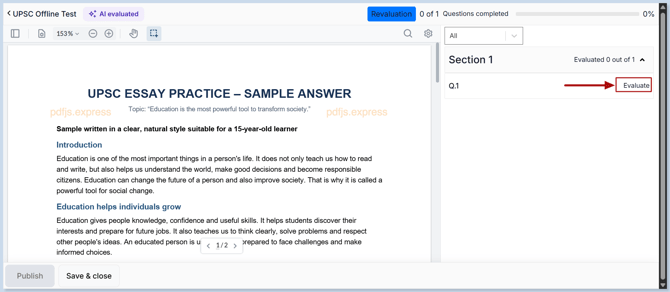
Find the learner's evaluated answer script and click the Evaluate button to open the evaluation results.
-
Here, you can view the learner's submitted answer alongside the AI-generated evaluation details.
-
You can review the following information:
- Question Score: View the marks awarded by AI for each answer.
- Evaluation Criteria: Check the criteria used by AI to evaluate the answer.
- Remarks: Review the AI-generated feedback on the learner's response.
-
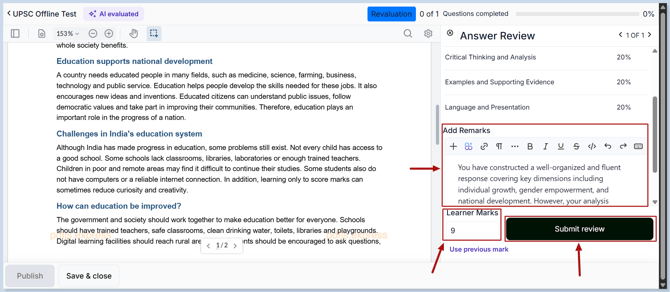
If you want to make changes to the AI-generated evaluation, you can review and modify the marks and remarks before publishing.
-
Make the required adjustments to ensure the evaluation aligns with your marking criteria.
-
Then click the Submit review button.
Publish the Evaluation Results
-
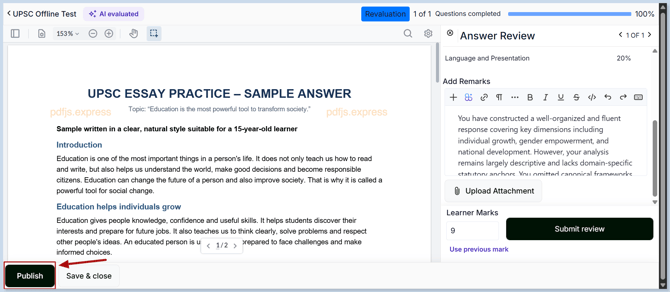
Once you have reviewed the marks and feedback, click Publish to make the evaluation results available to the learner.
-
Learners can then view their scores, evaluation remarks, and improvement suggestions to better understand their performance.
-
With Learnyst AI Evaluator, you can combine AI-powered evaluation with educator review to provide accurate, structured, and meaningful feedback to your learners.