![Learnyst Logo-25-1.png]](https://support.learnyst.com/hs-fs/hubfs/Learnyst%20Logo-25-1.png?height=40&name=Learnyst%20Logo-25-1.png)
- To set up your GSTIN and invoice, go to Products > Courses > Desired Course > Settings.
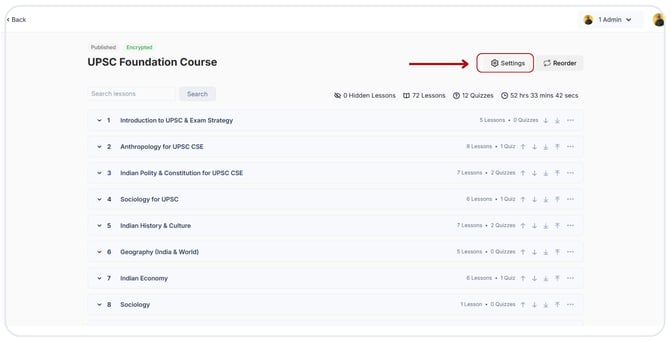
- Choose the "Learner configurations" option
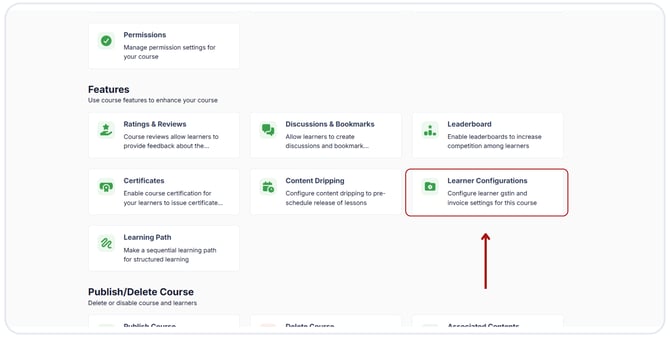
- It will send you to this page, where three options are available.
1. Request complete GSTIN address: If you select the option, learners can provide their GSTIN details to ensure suitable invoicing and taxation during the payment checkout process.
2. Request Date of Birth: If you activate this option, Learners will be asked to submit their date of birth during the payment checkout process to authenticate and verify themselves.
3. Request PAN: If this option is enabled, learners will be requested to provide their PAN during payment checkout. Providing PAN ensures transparency and compliance with tax regulations..png?width=670&height=343&name=Enable%20Learner%20config%20(1).png)
- Click the "Save" button after making decisions.