![Learnyst Logo-25-1.png]](https://support.learnyst.com/hs-fs/hubfs/Learnyst%20Logo-25-1.png?height=40&name=Learnyst%20Logo-25-1.png)
A pricing plan allows you to set how much learners need to pay to access your product. Adding a pricing plan is required before publishing any product. You can also create multiple pricing options for the same product.
How to Choose the Right Price
When setting your product price, consider:
- Value of your content – Depth, quality, and outcomes
- Target audience – Students vs professionals
- Market comparison – Check similar products
- Your expertise – Higher experience can justify higher pricing
You can also test different pricing plans to find what works best.
Steps to Create a Pricing Plan
-
Go to Product Settings → Pricing and Validity
-
Click on Add Pricing Plan
-
Select any pricing plan
-
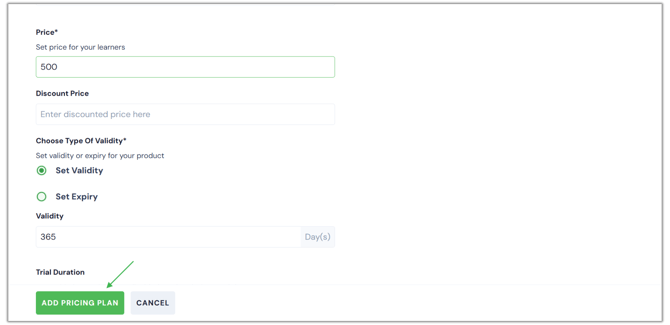
Enter the required details such as price and plan name
-
Click Add Pricing Plan
-
After adding the plan, click Publish to make it visible to learners
Once published, learners will see the pricing on the product’s sales page.