- To provide the grade to your learners, go to Products > Mock tests > Selected Mock test
- After you arrive here, select Settings.
.png?width=670&height=318&name=Learnyst%20mock%20test%20settings%20(1).png)
- Next, click the Grading option that appears below the Advanced features.
.png?width=670&height=318&name=Learnyst%20mock%20test%20settings%20(4).png)
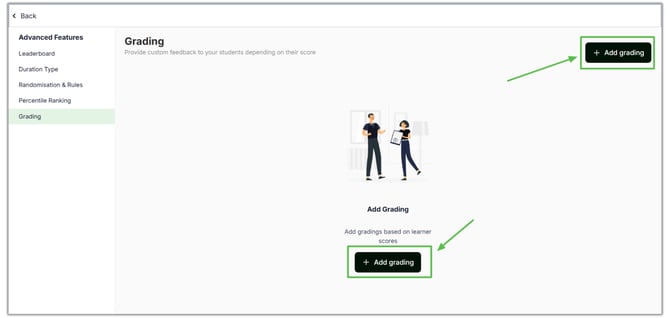
- You will see this window after clicking it. Click the Add Grading button.
- Here, you can include grading criteria such as Title, Mark limits, description and image.
- Once you add important notes, press the "ADD Grading" button.
.png?width=670&height=318&name=Add%20Grade%20%20(1).png)
- Like this, you can enter the other grades for your learners
.png?width=670&height=318&name=Add%20Grade%20%20(2).png)
- This grade automatically reflects on your students' performance.
English
![Learnyst Logo-25-1.png]](https://support.learnyst.com/hs-fs/hubfs/Learnyst%20Logo-25-1.png?height=40&name=Learnyst%20Logo-25-1.png)