![Learnyst Logo-25-1.png]](https://support.learnyst.com/hs-fs/hubfs/Learnyst%20Logo-25-1.png?height=40&name=Learnyst%20Logo-25-1.png)
Before deleting a form, unpublish it and remove it from any embedded CTA or website builder to else a placeholder or skeleton of the form will be displayed.
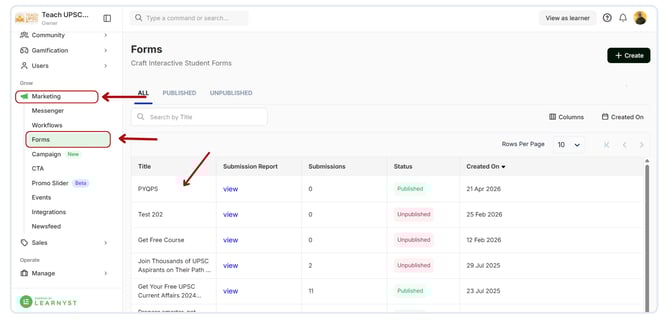
To Unpublish a form, follow these steps:
- Navigate to the Marketing > form > Select the unwanted form
- Then click on Publish Status and set the status to Unpublish
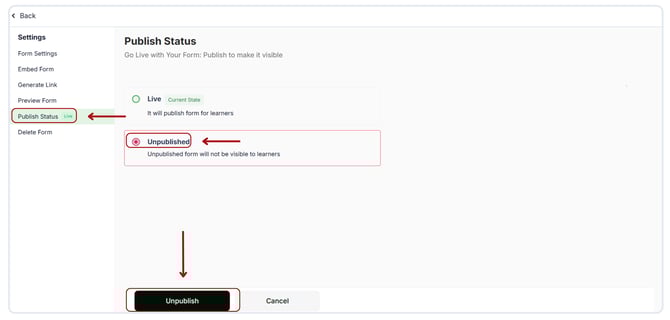
- Once the form's status is set to Unpublish, you can proceed to delete it by clicking Delete Form on the sidebar.
- Enter the title of the form you're deleting to confirm your action.
- Click Delete to complete the process.
.png?width=670&height=321&name=Unpublish%20and%20delete%20a%20form%20(2).png)
After following these steps, the form will be permanently deleted from your account.