![Learnyst Logo-25-1.png]](https://support.learnyst.com/hs-fs/hubfs/Learnyst%20Logo-25-1.png?height=40&name=Learnyst%20Logo-25-1.png)
Removing from Associated Contents:
Before unpublishing an Podcast, it's crucial to ensure that it's removed from any associated contents, such as bundles or other segments, where it might be included.
Unpublishing the Podcast:
- Navigate to the Products > More Products > Podcast > settings
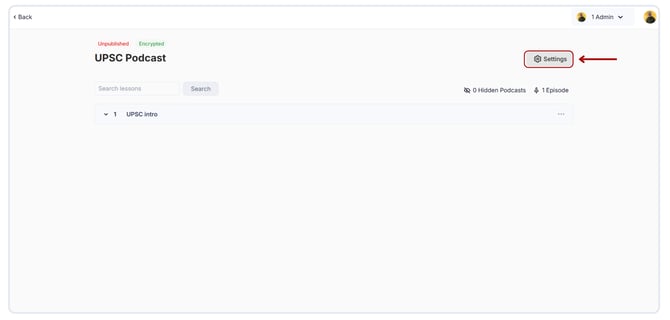
- Click on Publish Podcast.
.png?width=670&height=321&name=Podcast%20Publish%20(1).png)
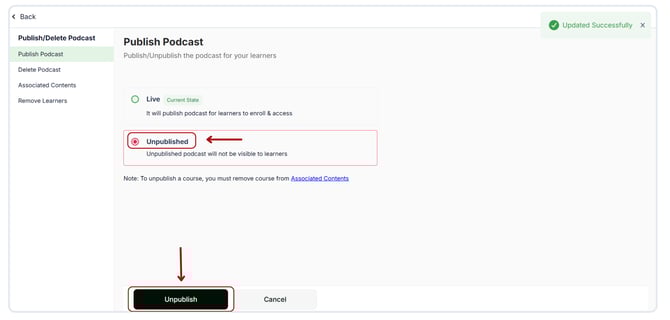
- Select the Unpublished radio button and click Unpublish confirm the action.