![Learnyst Logo-25-1.png]](https://support.learnyst.com/hs-fs/hubfs/Learnyst%20Logo-25-1.png?height=40&name=Learnyst%20Logo-25-1.png)
-
To update your profile details, sign in to your account and navigate to the Store page.
-
Click on your Profile icon in the top-right corner and select Account.
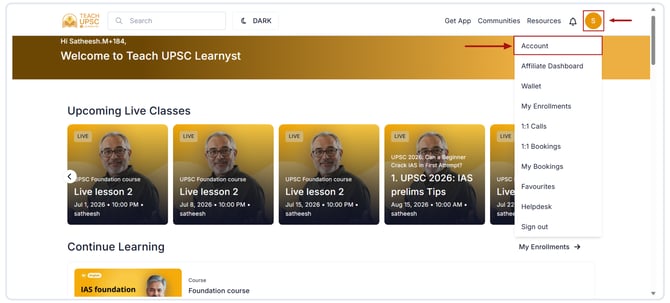
-
On the Account page, click the Edit icon.
.png?width=670&height=303&name=Article%20-%20profile%20update%20(1).png)
-
Update the required details, such as:
- Name
- Email Address
- Phone Number
- Profile Picture (if applicable)
- Other available profile information
- Once you have made the necessary changes, click Update to update your profile.
.png?width=670&height=303&name=Article%20-%20profile%20update%20(2).png)
-
Your profile information will be updated successfully.