![Learnyst Logo-25-1.png]](https://support.learnyst.com/hs-fs/hubfs/Learnyst%20Logo-25-1.png?height=40&name=Learnyst%20Logo-25-1.png)
- To view and manage your product’s associated content, navigate to Products > Courses and choose the desired course.
- Then click the Settings button.
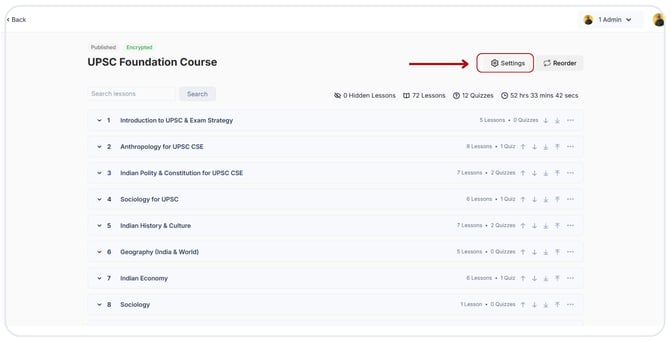 Choose the Associated Content option.
.png?width=670&height=312&name=courses%20associated%20content%20(5).png)
- Here you can see where you've added your course, such as products and segments. To view the product details, click on any of them.
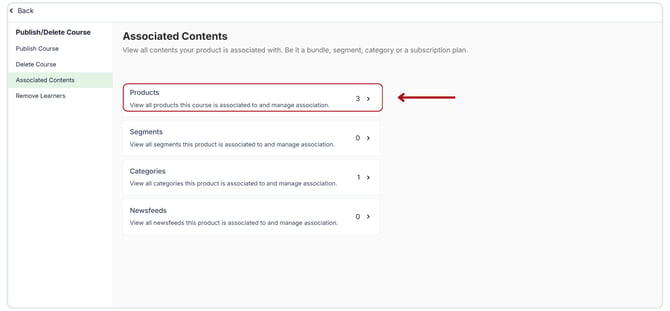
- To manage your product, click on any of them.
.png?width=670&height=312&name=courses%20associated%20content%20(1).png)
- You can reorder and remove any product now.
.png?width=670&height=312&name=courses%20associated%20content%20(4).png)