![Learnyst Logo-25-1.png]](https://support.learnyst.com/hs-fs/hubfs/Learnyst%20Logo-25-1.png?height=40&name=Learnyst%20Logo-25-1.png)
Steps to View Keyboard Shortcuts
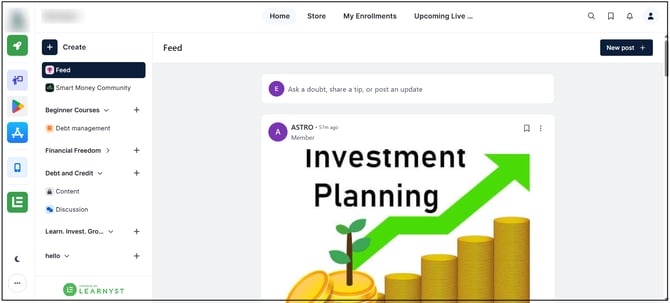
Step 1: Open the Socials Dashboard
Go to the Admin Dashboard > View As Learner > Socials Dashboard.
Step 2: Open the Options Menu
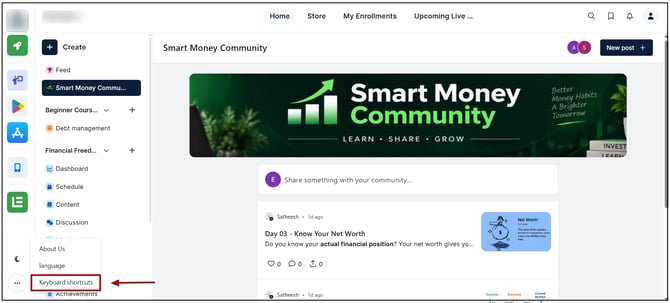
Click the down-arrow/options menu in the bottom-left corner of the dashboard. Select Keyboard Shortcuts from the available options.
Step 4: View the Shortcuts
Review the available keyboard shortcuts and use them to access supported actions more quickly.
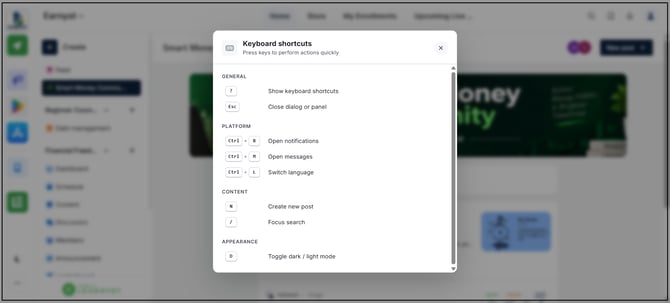
The available keyboard shortcuts are displayed for reference. Viewing the shortcuts does not change any Socials settings or content.